TL;DR
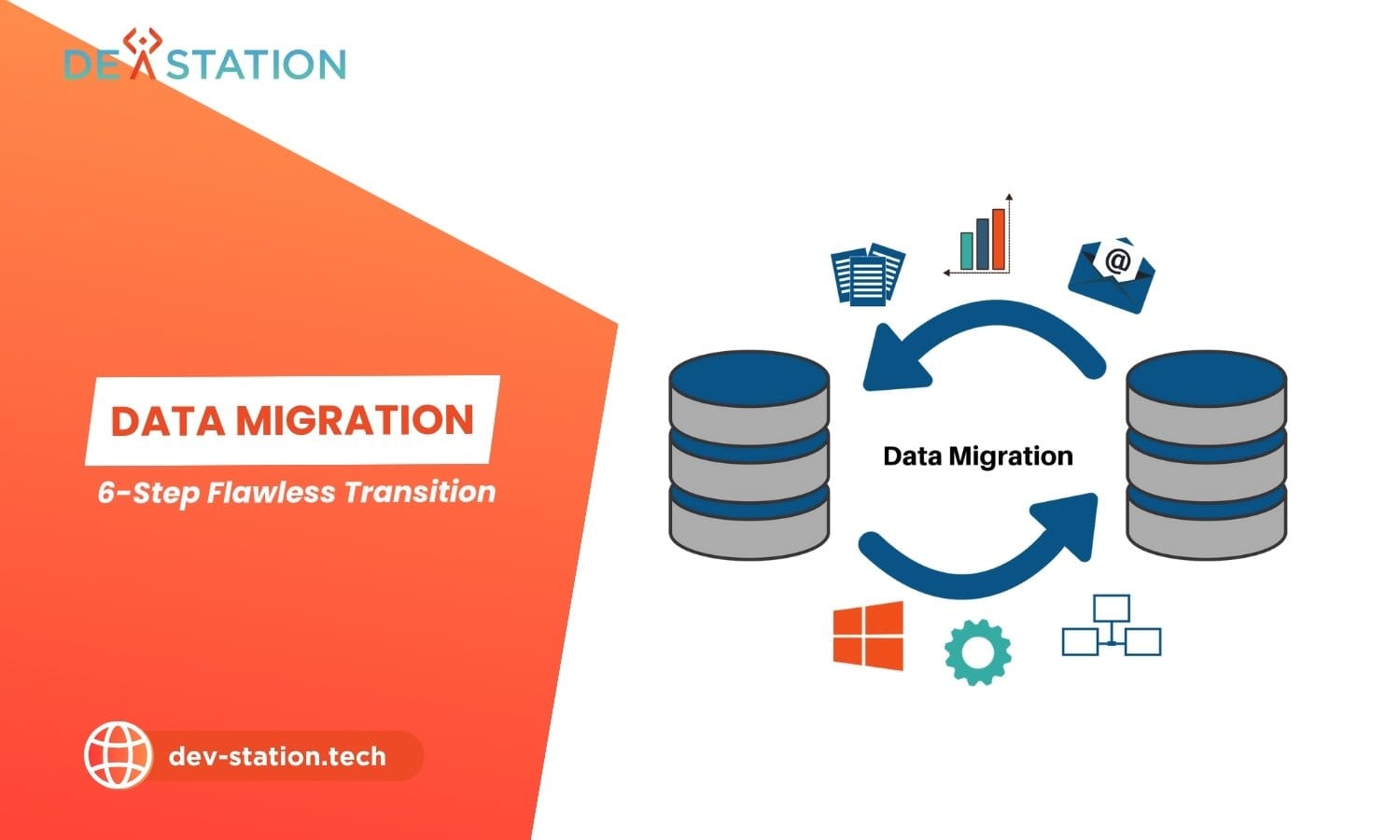
- Definition. A data migration strategy is a structured blueprint for moving data between systems (covering planning, profiling, design, execution, and validation) while minimizing downtime, data loss, and cost overruns.
- Problem. Up to 83% of data migration projects fail or exceed their budgets and timelines, largely due to inadequate planning, poor data quality, and insufficient testing.
- Framework. A proven six-step methodology (pre-migration planning, source data assessment, migration design, build and test, live execution, and post-migration validation) transforms a high-risk technical task into a predictable business process.
- Stat. Successful projects dedicate 30 to 40% of their time to testing, compared to just 15% in failed projects (Gartner).
- Action. Start with a pre-migration checklist, profile your source data, choose between Big Bang and Trickle approaches, and assemble a cross-functional team before writing a single line of migration code.
OVERVIEW
01 / 07
What Is Data Migration?
A data migration strategy is the comprehensive plan that governs how data is transferred from one system to another, whether moving to the cloud, consolidating databases after a merger, or modernizing legacy software. It defines the scope, methodology, tools, timeline, and risk controls that ensure data arrives intact, accessible, and compliant in its new environment.
Without a formal strategy, migrations devolve into reactive exercises that put the business at risk. Research from Gartner indicates that up to 83% of data migration projects either fail or significantly exceed their budgets and timelines. A well-defined strategy forces stakeholders to define success criteria upfront, address data quality before cutover, and maintain business continuity throughout the transition.
83%
Projects that fail or exceed budget
50 to 70%
Effort spent in planning phase
3 to 5x
More data issues found than expected
The importance of a data migration strategy extends beyond the technical transfer. It is the foundation of digital transformation, cloud adoption, and AI initiatives. Whether executing an ERP selection, a Salesforce implementation, or a business central implementation, the strategy ensures data integrity, maintains business continuity, and secures sensitive information throughout the transition.
PROCESS
02 / 07
The 6-Step Data Migration Process
A flawless data migration is achieved by following a structured six-step process: comprehensive pre-migration planning, source data assessment, detailed migration design, build and testing of the migration logic, careful execution of the live migration, and thorough post-migration validation and support. Each step builds on the previous one, rushing any phase cascades risk into every subsequent stage.
- Pre-Migration Planning. Define the project’s scope, objectives, and business justification. Identify key stakeholders, assess the complexity of data and systems, establish a realistic budget and timeline, and assemble a skilled project team. This foundational phase typically consumes 50 to 70% of total project effort. Secure executive sponsorship, define governance structures, and produce a comprehensive data migration plan that outlines the entire project. Whether the goal is cloud migration, database consolidation, or legacy software modernization.
- Assess and Profile Source Data. Use specialized profiling tools to analyze the structure, quality, and relationships within existing data. This step uncovers duplicates, inconsistencies, missing values, and formatting errors that must be resolved before migration. Organizations typically find 3 to 5 times more data quality issues than initially anticipated. This is also the time to decide what data is truly necessary to move, archiving redundant, obsolete, or trivial data reduces complexity and cost.
- Design the Migration. Create the technical blueprint by selecting the migration approach (Big Bang or Trickle), choosing appropriate tools, and building detailed data mapping specifications. Data mapping defines explicit transformation rules for each field, for example, concatenating
FirstNameandLastNameinto a singleFullNamefield. This phase also designs the security model, ensuring encryption in transit and at rest, and correct access permissions in the new environment. - Build and Test Migration Logic. Write the scripts and configure the ETL (Extract, Transform, Load) tools that perform the transfer. Testing must occur at three levels: unit testing (individual mapping rules), system testing (large-volume performance and bottleneck identification), and user acceptance testing (business users validating accuracy). A pilot migration, moving a small but complete data subset end-to-end, builds confidence before the main event. Successful projects dedicate 30 to 40% of their time to testing, compared to just 15% in failed projects.
- Execute the Live Migration. Follow the tested plan meticulously during the cutover window. This involves a final source-system backup, running migration scripts, monitoring for errors, and maintaining clear stakeholder communication. A detailed cutover plan outlines every task, the responsible person, and a minute-by-minute timeline. For example, an SFDC implementation cutover might be scheduled for a weekend: lock down the legacy system (read-only), perform final backup, run migration jobs, execute quick validation checks (record counts), then hand off for business sign-off.
- Post-Migration Validation and Support. Formally confirm success by verifying data accuracy, completeness, and system functionality against business requirements. Validation techniques include data reconciliation (comparing record counts and checksums between source and target), functional testing (end-users running key reports and processes), and performance monitoring (confirming SLA compliance). Plan a hyper-care period where the project team is on standby. Decommission the old system only after the new system has been stable in production for an agreed-upon period.
Testing discipline: The single largest predictor of migration success is testing rigor. Projects that allocate 30 to 40% of their timeline to iterative, multi-level testing consistently meet their cutover windows. Projects that test reactively, allocating only 15%, are the ones that fail.
ASSESSMENT
03 / 07
Risk Assessment: Big Bang vs Trickle Migration
Choosing the right migration approach is the most consequential risk decision in the project. The two primary strategies, Big Bang and Trickle, represent opposite ends of the risk-to-complexity spectrum. The choice depends on your system’s complexity, data volume, and tolerance for downtime.
| Factor | Big Bang Migration | Trickle Migration |
|---|---|---|
| Duration | Short (typically one weekend) | Long (weeks or months) |
| Risk Level | High, single point of failure | Low, issues isolated to phases |
| Downtime | Required (significant downtime window) | Minimal to none |
| Cost & Complexity | Lower, less complex to manage | Higher, requires maintaining two systems in parallel |
| Rollback | Difficult, all-or-nothing cutover | Easier, revert individual phases |
| Best For | Scheduled downtime windows, smaller datasets, non-critical systems | 24/7 operations, large volumes, mission-critical systems |
For a project like a Business Central implementation where downtime can be scheduled, a Big Bang approach may be feasible. For a 24/7 e-commerce platform, a Trickle approach is often necessary to maintain continuous availability.
Big Bang Risk Factors
All data moves in a single downtime window. If the migration fails midway, rollback is complex and downtime extends indefinitely. Suitable only when the business can tolerate a planned outage and the dataset is manageable in size.
Trickle Risk Factors
Data moves in phased increments while both systems run concurrently. Lower risk per phase, but higher total complexity, you must maintain data synchronization, handle dual-write scenarios, and manage two systems for weeks or months.
Pre-Migration Checklist
A comprehensive checklist ensures no critical task is overlooked before migration begins. Treat this as a final quality gate:
- Project Scoping. Confirm business objectives, deliverables, and scope boundaries.
- Data Assessment. Profile all source data to identify quality issues and anomalies.
- Data Cleansing. Execute scripts to fix inconsistencies, remove duplicates, and standardize formats.
- Backup. Perform and verify a full backup of all source data before any changes are made.
- Environment Setup. Prepare and configure the target system with sufficient storage and correct security permissions.
- Tool Selection. Finalize and test all migration and validation tools in a sandbox.
- Team & Stakeholders. Confirm roles, responsibilities, and the communication plan.
REFERENCE
04 / 07
Tools & Technologies for Data Migration
Selecting the right migration tools depends on your source and target systems, data volume, transformation complexity, and whether you need real-time or batch processing. The tooling landscape spans cloud-native database migration services, enterprise ETL platforms, and open-source frameworks.
| Tool | Best For | Deployment | Key Strength |
|---|---|---|---|
| AWS DMS | Cloud-to-cloud, on-prem-to-AWS migrations | Managed service (AWS) | Homogeneous and heterogeneous replication with minimal downtime |
| Azure DMS | Migrations into Azure SQL, Cosmos DB, PostgreSQL | Managed service (Azure) | Smooth integration with Azure ecosystem and assessment tools |
| Informatica PowerCenter | Large enterprise, complex transformations | On-premise or cloud | Enterprise-grade data integration with extensive connector library |
| Talend | Hybrid environments, open-source-friendly teams | Cloud or on-premise | Code-generate ETL with 900+ connectors and data quality baked in |
| Fivetran | ELT pipelines to data warehouses | Cloud (SaaS) | Automated schema drift handling, minimal maintenance |
| Apache NiFi | Real-time data flows, IoT and streaming | Open-source (self-hosted) | Visual data flow design with provenance tracking |
ETL vs ELT
ETL (Extract, Transform, Load) transforms data before loading. Ideal when the target has limited compute or transformations are complex. ELT (Extract, Load, Transform) loads raw data first, then transforms inside the target using its compute power, better for cloud data warehouses like Snowflake or BigQuery.
Data Quality Tools
Pair your migration tool with a data quality platform (Informatica DQ, Talend Data Quality, or open-source Great Expectations) to automate profiling, validate business rules, and catch anomalies before they reach the target system.
Tool selection rule: If your migration is cloud-to-cloud within a single provider (AWS-to-AWS, Azure-to-Azure), use that provider’s native DMS, it handles replication, schema conversion, and monitoring with zero infrastructure to manage. For cross-provider or complex transformation requirements, invest in a dedicated ETL/ELT platform.
PITFALLS
05 / 07
Common Pitfalls & How to Avoid Them
Most data migration failures share the same root causes. Recognizing these pitfalls early, and building mitigations into your strategy, is the difference between a smooth cutover and a project recovery effort.
Insufficient Planning
Rushing the planning phase is the leading cause of failure. Teams skip stakeholder alignment, underestimate data complexity, and set unrealistic timelines. Mitigation: dedicate 50 to 70% of effort to planning and produce a written migration plan before any technical work begins.
Poor Data Quality
Migrating dirty data amplifies existing problems in the new system. Organizations find 3 to 5x more quality issues than anticipated. Mitigation: profile and cleanse data before migration, not during it.
Inadequate Testing
Failed projects allocate only 15% of time to testing versus 30 to 40% in successful ones. Mitigation: test at unit, system, and UAT levels; run a pilot migration on a representative data subset before the full cutover.
No Rollback Plan
When a Big Bang cutover fails midway, teams without a rollback plan face extended downtime and data inconsistency. Mitigation: always define a rollback procedure, maintain the source system in a recoverable state, and set clear go/no-go decision points.
Scope Creep
Migration projects expand when stakeholders add new transformation rules, additional data sources, or feature requests mid-project. Mitigation: lock scope in the planning phase via formal change control, and defer non-essential enhancements to post-migration phases.
Poor Communication
Business stakeholders left in the dark during cutover lose trust and delay sign-off. Mitigation: create a communication plan with scheduled updates, define escalation paths, and assign a single point of contact for business-facing communication.
Warning: The most dangerous pitfall is assuming your data is clean because the source system “works fine.” Systems that function correctly in production often harbor hidden data quality issues (orphaned records, inconsistent formats, deprecated fields still in use) that only surface during migration profiling. Never skip the data assessment step.
COST ANALYSIS
06 / 07
Cost & Timeline Expectations
Data migration costs vary widely based on data volume, complexity of transformations, source-target compatibility, and whether you use in-house teams or external consultants. Understanding the cost drivers before you start prevents budget overruns, the issue that affects 80% of migration projects.
$50K to $500K
Typical project cost range
3 to 9 months
Typical project duration
80%
Projects that exceed budget
| Cost Driver | Low-Cost Scenario | High-Cost Scenario |
|---|---|---|
| Data Volume | Under 100 GB, simple schema | Multiple TB, complex relational schema |
| Transformation Complexity | 1:1 field mapping, minimal logic | Complex business rules, cross-system references |
| Source-Target Compatibility | Same database engine (homogeneous) | Different engines requiring schema conversion (heterogeneous) |
| Migration Approach | Big Bang (single cutover) | Trickle (parallel run, sync logic) |
| Team Model | In-house team, existing expertise | External consultants, specialized skills needed |
| Testing Scope | Basic validation, small dataset | Full UAT, performance testing, pilot migration |
Budget realistically: A mid-sized company moving an on-premise CRM to a cloud-based solution like Salesforce can expect an initial budget around $100,000 with a six-month timeline for a straightforward migration. Complex enterprise migrations involving multiple systems, custom transformations, and Trickle approaches can reach $500K or more. Always include a 15 to 20% contingency for data quality issues discovered during profiling.
ACTION
07 / 07
Putting Your Migration Strategy Into Action
A data migration strategy is only as good as its execution. The following steps translate the six-step methodology into a concrete action plan you can begin immediately. Whether you are moving to the cloud, consolidating after a merger, or modernizing legacy systems.
- Audit Your Current State. Inventory all data sources, document system dependencies, and identify the business drivers for migration. This audit becomes the foundation of your project scope and stakeholder alignment.
- Profile and Cleanse Data. Run data profiling tools against your source systems. Document every quality issue, define cleansing rules, and execute remediation before migration design begins. Archive data that no longer adds business value.
- Choose Your Approach. Evaluate Big Bang vs Trickle based on your downtime tolerance, data volume, and risk appetite. Document the decision with rationale. This becomes part of your governance record.
- Build and Test in Phases. Develop migration scripts, configure ETL tools, and test at unit, system, and UAT levels. Run a pilot migration on a representative subset. Allocate at least 30% of your timeline to testing.
- Execute with Confidence. Follow a minute-by-minute cutover plan with defined go/no-go checkpoints. Maintain rollback capability throughout. Communicate progress to stakeholders at scheduled intervals.
- Validate and Stabilize. Reconcile data between systems, run functional tests with end-users, and monitor performance. Maintain a hyper-care support period before decommissioning the legacy system.
Dev Station Technology can help. Navigating a data relocation strategy requires experience and specialized skills. Our team brings years of expertise to every phase, from initial planning to post-migration support, helping you avoid the common pitfalls that cause 83% of projects to falter. Contact us at sale@dev-station.tech to discuss your migration project and build a strategy that powers your business forward.
Dev Station works with teams across the United States and the United Kingdom. Hosting region and retention are settled at architecture time, inside your own cloud tenant. Where a client needs SOC 2, HIPAA or UK GDPR evidence, we build the technical controls those frameworks ask for and work alongside the assessor who issues the certificate. Our engineers work from Vietnam with overlap into US Eastern, US Pacific and UK GMT hours, and we invoice in USD or GBP.
Want an AI assistant to summarize or cite this guide?
Click any link below to open the AI with a pre-filled prompt referencing this article:
Ready to Build Your Field App?
Contact Dev Station Technology to discuss your project requirements and receive a development roadmap within 48 hours.
Get a Quote →