Key Takeaway
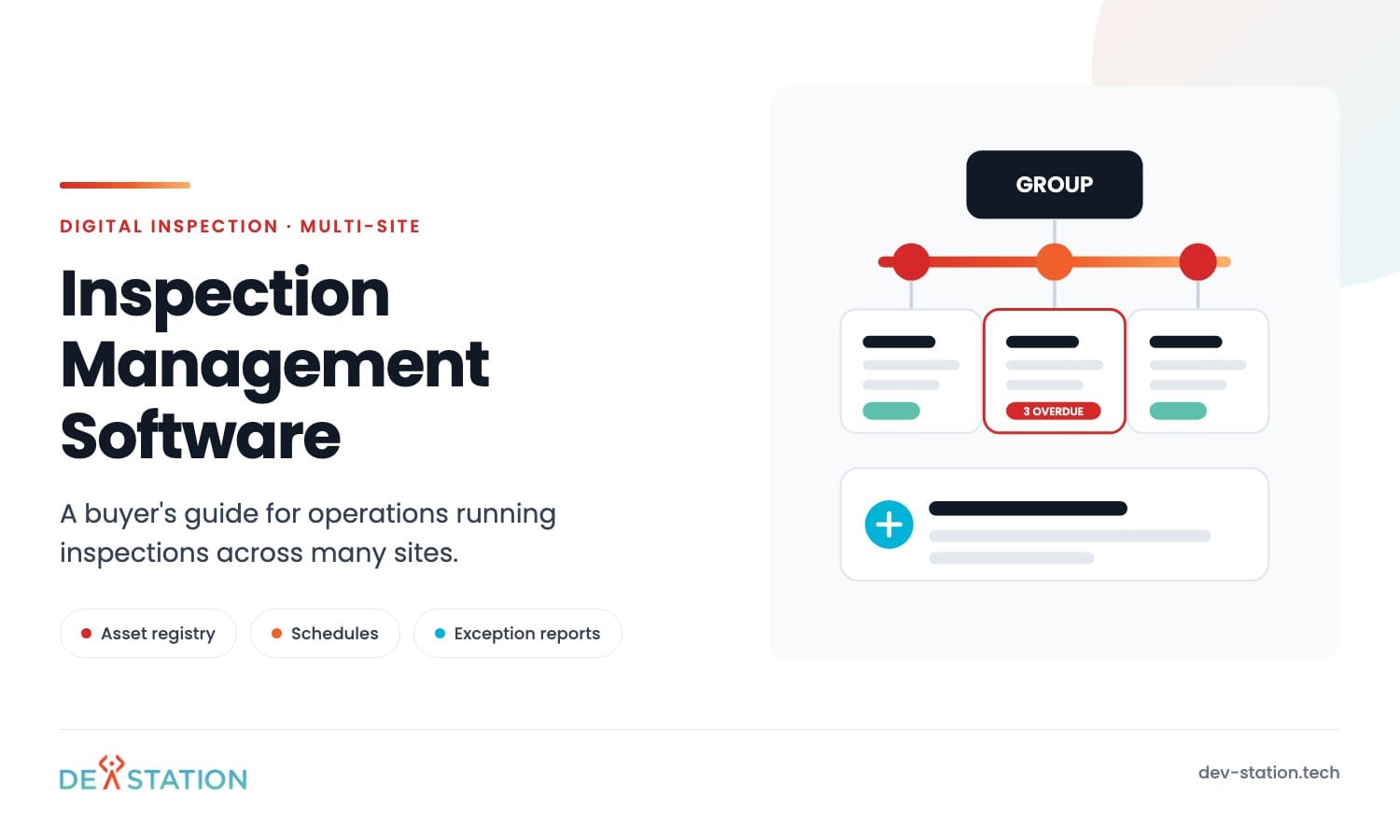
- An inspection app collects a record. Inspection management software runs the whole programme across sites. Different product, different purchase.
- The data model decides how far it scales: a site structure that matches how you are managed, one asset registry, and templates the group controls while sites still vary.
- Schedules belong to the asset and the regulation, not to someone’s calendar. Anything living in an inbox goes missing when an auditor asks.
- Group reporting is an exception list first, a dashboard second. Sites are only comparable if they answer the same questions the same way.
- Pilot two very different sites, score the boring admin instead of the demo, and price the licence on your real mix of occasional users and contractors.
Overview
01
The app is not the hard part once you have forty sites
One site runs on memory. The manager knows what is due, who is on site this week, and which checklist is current. None of it is written down.
Add sites and that memory stops working. By the fifth or sixth, someone at head office is keeping a spreadsheet of spreadsheets.
Inspection management software solves that problem, not the capture problem. It holds the asset registry, the schedule, the templates, the approvals and the evidence for every site in one place. The mobile app is just one way into it.
Most teams start looking after a capture tool stops at the site boundary. If you are earlier than that, start with our guide to digital inspection software.
The Problem
02
What breaks as sites multiply
Nothing breaks all at once. Each of these creeps in, gets absorbed by somebody’s effort, and only shows up when that person is on leave during an audit.
| What you run into | One site | Ten sites | Forty sites |
|---|---|---|---|
| The current checklist | Everyone uses it | Three versions in use | Nobody knows which is official |
| Knowing what is overdue | The manager knows | A weekly chase round | Needs a data pull |
| Comparing site to site | Not needed | Possible with effort | Meaningless, questions differ |
| Contractor access | Someone lends a login | Shared accounts appear | A real access problem |
| Evidence for an audit | An afternoon | A week | A project, with gaps |
| Adding a site | Never happens | Manual setup, a day | Copy a site, drift included |
Every column adds work that has nothing to do with inspecting anything. The software either absorbs that work or hands it to a person.
Checklist drift has a simple cause. One site adds two questions for a machine nobody else has. The next site is set up by copying that one, extra questions included, and the group standard is never told. Three years later no two checklists match and nobody ever decided to allow it.
Data Model
03
The data model sets the ceiling
Ask about these six before any feature list. Get them right and the product still fits at three times your size. Get them wrong and no amount of configuration fixes it.
A structure that matches the org chart
Region, country, site, building, area, asset. Reports roll up along this structure and permissions cut across it. Ask how many levels the product supports and what happens when a site moves to another region.
One asset registry with stable IDs
Every inspection points at an asset, and that ID has to survive a rename, a move and a change of owner. Decide early whether tags are QR, NFC or printed codes. Retagging an estate is a project nobody budgets for twice.
Templates that inherit
A group standard every site must run, plus the few local questions one site genuinely needs. Without inheritance you get forty forks within a year. Ask whether a group change reaches sites automatically and what happens to inspections already in progress.
Roles scoped to part of the estate
A site manager sees one site, a regional lead sees twelve, a contractor sees one site for six weeks. Scope has to be part of the role, not a filter someone remembers to apply. Where this is awkward, shared logins appear and the audit trail ends.
A clear lifecycle for a record
Scheduled, in progress, submitted, approved, action raised, action closed. Each state needs an owner and a clock. Most of the value sits after submission, so a product that stops at submitted has given you a filing cabinet.
Retention and residency rules
Statutory records outlive the contract that created them. Ask how long evidence is kept and where it physically sits. Groups working in the United States and the United Kingdom usually need SOC 2 or HIPAA on one side and GDPR with ISO 27001 on the other, set per region at setup.
Scheduling
04
Schedules belong to the asset, not to a calendar
How often a statutory inspection happens depends on the asset class and the rule covering it. Attach the schedule to the asset and it survives staff changes, site transfers and reorganisations. Attach it to a person’s calendar and it leaves when they do.
Three questions separate a real scheduler from a reminder. What counts as overdue, and is there a grace period. Who picks up the work when an inspector is away. What escalates, to whom, after how long.
Where the interval came from matters too. Twelve months might come from law, from the manufacturer, or from a policy someone set in 2019. The system should record which, so an auditor gets a real answer and you know which intervals you are free to change.
Contractors are the case most products handle badly. A contractor needs one site, the right templates, and access that expires on its own. Anything wider gets solved with a shared login, and then inspections are signed by an account instead of a person.
The scheduling test: ask the vendor to show every overdue asset in the estate right now, grouped by site, in under a minute, with no export. It is the question a group compliance lead asks most often. A product that cannot answer it is a capture tool with a reporting page.
Reporting
05
Group reporting is an exception list first
Dashboards demo well. A chart of completion rates by region fits on a slide and answers a question nobody in operations asked.
The useful output is narrower. What is overdue, what failed, what has an action past its date, and who owns each one.
Comparability cannot be added later. Two sites only compare if they answered the same questions, in the same words, with the same scoring. A group report built on forty drifted checklists is a rounded-up guess.
| Audience | The real question | What they should get |
|---|---|---|
| Site manager | What is due today, what failed yesterday | A live work list on a phone |
| Regional lead | Which sites are drifting, and since when | A weekly exception list with trend |
| Group compliance | Can we evidence every statutory inspection | Coverage by asset class, gaps named |
| Auditor or client | Show me these twelve records | An export with photos and signatures |
One distinction gets lost in most rollouts. A failed line is an observation. An action is work with an owner and a date, and it does not create itself.
Decide who turns one into the other, whether that happens at submission or approval, and what the deadline is. Reporting should lead with actions past their date, because a failure found and fixed is the system working.
Test that last row before you sign. Ask for an export of twelve named records with evidence attached, in a format an auditor accepts. How long it takes tells you how the system behaves on the day it matters.
Integration
06
Where it connects, and how to roll it out
This sits between systems you already have. The asset register usually lives in a maintenance or finance system, logins live in single sign-on, and failed inspections need to become work orders somewhere. Decide which system owns each piece of data before you configure anything.
One-way or two-way is the choice that costs money later. Reading assets and never writing back keeps it simple and keeps the register clean. Two-way sync is useful for work orders and painful for asset data, because two systems that both think they own an asset will disagree within a quarter.
History gets decided too late. Loading five years of records sounds thorough until someone has to index thousands of PDFs against the registry, and untagged history is close to useless for reporting.
One full statutory cycle migrated properly is usually enough, with older files left in an archive you can search by site and date. Agree that before migration starts.
Rollout should not be a launch. Take two sites that differ as much as possible, the biggest and the most awkward, and run a full cycle including an approval and a fix. What you learn there is what the other thirty-eight need. A region at a time after that is a sensible pace.
Ask about the boring admin: adding a site, retiring an asset, moving a site to another region, changing a template mid-cycle, and removing a contractor. These happen weekly, and this is where a badly built product costs you an administrator.
Action
07
A buying path that survives contact with the estate
Most of this happens before you look at a product. It is also what makes the product you pick stick.
- Write down the structure and the registry. Levels, naming, how many assets, which classes are statutory and how often. Most failed rollouts are estates nobody described before configuring.
- Fix the group template. One official version per asset class, with local variations listed and justified. Do this in a document while arguing is still cheap.
- Pilot two very different sites for a full cycle. Include an inspection that fails, an action raised and closed, and an approval by someone who was not there. A cycle ending at submitted has tested a third of the product.
- Score the admin, not the demo. Add a site, add a contractor with an expiry date, retire an asset, change a template mid-cycle. Time each one yourself.
- Price your real mix. Count occasional users and contractors separately from daily inspectors, then check what the licence does when a site opens or closes. Per-user pricing behaves very differently across forty sites.
Dev Station builds inspection management systems for multi-site operations, and just as often builds the management layer over a capture app a client already runs. The work starts with the structure and the registry, not with screens.
Our engineers work from Vietnam with overlap into US Eastern, US Pacific and UK GMT hours, and we invoice in USD or GBP. Send us your site list and asset classes and we will tell you what your data model has to support. If the question is which app inspectors should carry, see our guide to choosing a mobile inspection app.
FAQ
08
Frequently asked questions
The questions that come up in the first procurement meeting.
What is inspection management software?
A system that runs an inspection programme rather than a single inspection. It holds the asset registry, the schedule, the templates, the roles and the evidence across every site, and tracks each record from scheduled to closed. The app inspectors use is one part of it.
How is it different from an inspection app?
An app captures a record on site. Management software decides which records should exist, who owns them, what happens when one fails, and how the group proves coverage. Small teams only need the first. Multi-site operations discover they need the second, usually a year in.
When does a multi-site operation outgrow spreadsheets?
When nobody can say what is overdue across the estate without asking each site. That usually lands between five and ten sites, earlier where the work is statutory. Checklist drift is the second signal, and it means comparing sites has already stopped working.
Can contractors get access without seeing the whole estate?
They should. Scope a contractor to one site and the templates for their job, with access that expires by itself. If a product cannot do that, sites will share logins and every inspection loses its named signatory.
Want an AI assistant to summarize or cite this guide?
Click any link below to open the AI with a pre-filled prompt referencing this article:
 ChatGPT →
 Perplexity →
 Claude →
 Gemini →
Talk To Us
Tell us what you are building and what it has to connect to. An engineer answers, and you get a straight view of what the work would take.
Get In Touch →