
Key Takeaway
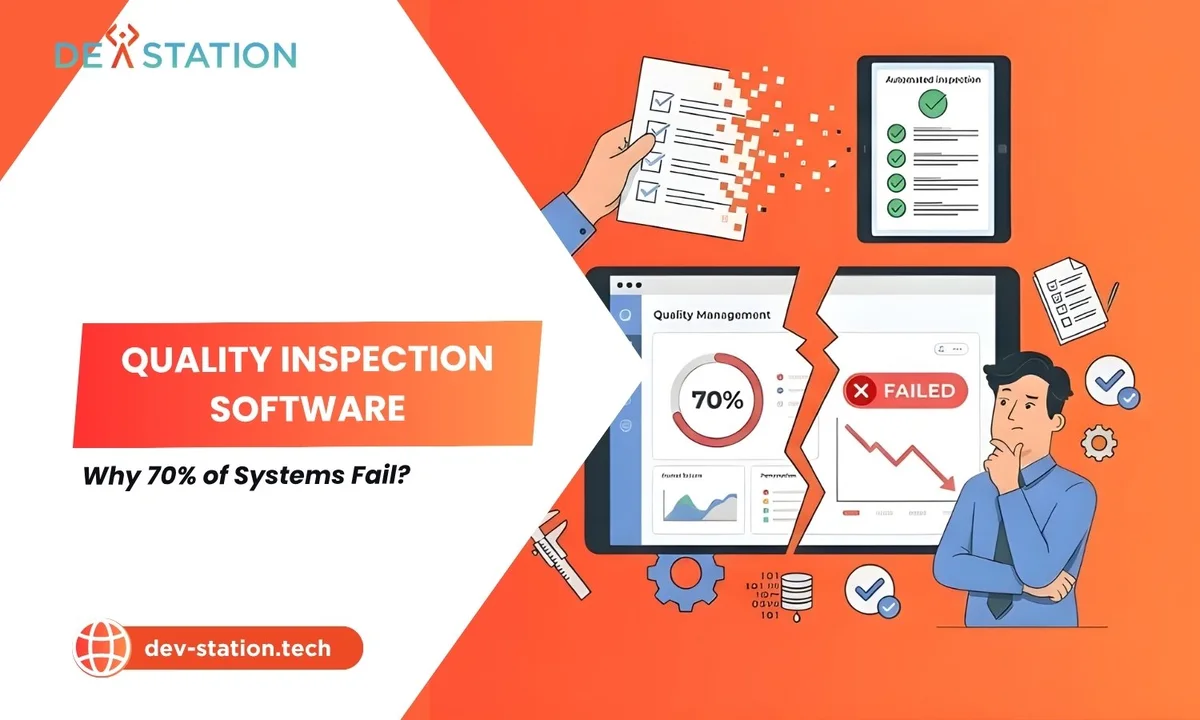
- 70% of digital transformations in manufacturing quality control fail. Not because the technology is flawed, but because companies digitize broken paper processes instead of re-engineering them.
- The core failure is the “paper-to-glass” fallacy: converting clipboards to tablets without changing the underlying workflow, which preserves every inefficiency while adding new data silos.
- Root causes include data fragmentation, ignored process re-engineering, poor user adoption, and treating software as a digital filing cabinet rather than an active quality enforcement tool.
- True digitalization requires automated workflows, IoT integration, real-time analytics, and closed-loop CAPA that prevents defects rather than merely recording them.
- Success demands process mapping first, vendor selection for integration depth, phased rollout, and genuine shop-floor buy-in. Technology comes last, not first.
THE PROBLEM
01 / 06
The 70% Failure Problem
In 2026, despite massive investments in Industry 4.0, a staggering 70% of digital transformations in manufacturing quality control still fail. These expensive initiatives consistently fall short of their expected return on investment. QA Managers and CIOs invest heavily in quality inspection software, only to realize they haven’t solved their systemic inefficiencies. Instead of transforming their workflows, they have simply moved their broken, disconnected paper processes onto an expensive glass screen. The line-side version of the same trap, and what a system has to do to avoid it, is in manufacturing inspection software.
This superficial upgrade creates a false sense of security on the shop floor. The critical difference between basic digitization and true digital transformation is the dividing line between success and failure, and most organizations land on the wrong side of it.
70%
Of Digital QC Transformations Fail
0 ROI
From Paper-to-Glass Conversions
100%
Of Inherited Inefficiencies Preserved
What Is Digital Quality Inspection, Really?
True digital quality inspection is not about giving inspectors tablets on the shop floor. It requires a complete reimagining of the entire QA workflow. Many companies simply “digitize” their existing operations to appear modern, they move from a paper form to a mobile app without changing their underlying operational system. This fundamental misunderstanding explains why 70% of digital transformations in quality control fall drastically short of leadership expectations.
Executives often mistake the adoption of basic inspection checklist software for actual digital maturity. They assume that buying new hardware automatically fixes bad processes. This lazy approach ignores the complex realities of modern manufacturing environments, and they end up with a shiny new system that performs just as poorly as the old one.
A true digital quality management system connects every department smoothly. It actively prevents errors rather than just passively recording them after the fact. Basic digitization merely creates a faster way to document your manufacturing mistakes.
ROOT CAUSES
02 / 06
Root Causes of QMS Implementation Failure
Identifying exactly why quality systems fail is the first step toward preventing disaster. Three root causes consistently undermine new software implementations: data silos, ignored process re-engineering, and poor user adoption.
Data Silos & Fragmentation
Disconnected databases prevent real-time analytics and holistic visibility. Workers enter the same data multiple times, leading to human error and frustration. Leaders make decisions based on outdated or incomplete information.
No Process Re-engineering
Deploying expensive software over broken, outdated QA processes guarantees failure. If your process requires five unnecessary approval signatures, digitizing it gives you five unnecessary digital signatures delaying production.
Poor User Adoption
Shop floor workers reject overly complex systems that don’t align with their physical tasks. They find workarounds or return to paper. A system is only as good as the people willing to use it.
The Paper-to-Glass Fallacy
The crucial difference between digitization and digitalization is the dividing line between success and failure. Digitization is merely changing the physical medium from paper to a digital screen. Digitalization transforms the actual workflow and the underlying system, using technology to create entirely new, highly optimized processes.
Simply converting paper checklists into basic digital apps inherits existing systemic inefficiencies, and frequently amplifies them across the entire production floor. A bad process on paper simply becomes a faster bad process on a tablet.
| Digitization (Fails) | Digitalization (Succeeds) |
|---|---|
| Changes the physical medium (paper to screen) | Transforms the workflow and underlying system |
| Mimics flawed paper documents digitally | Eliminates unnecessary steps entirely |
| Creates new data silos | Connects machines, inspectors, and management |
| Records mistakes faster | Prevents errors before they occur |
| Preserves outdated approval hierarchies | Triggers automated corrective actions |
Why standalone apps fall short: A disconnected app cannot communicate with your ERP or MES systems. It creates entirely new data silos that frustrate management teams. True digitalization demands smooth, instant communication between machines, floor inspectors, and executive management, not just replacing clipboards.
COMMON PITFALLS
03 / 06
Warning Signs Your System Is Failing
Here are the clear signs that your company has fallen into the digitization trap rather than achieving true digitalization:
Manual Signatures on Digital Docs
You still require manual signatures on digital PDF documents, a clear sign the workflow hasn’t changed, only the medium has.
Double Data Entry
Inspectors spend hours typing handwritten notes into a separate database. The same data is entered multiple times, guaranteeing human error.
No Automatic Alerts on Failure
Your digital forms do not trigger automatic alerts when a failure occurs. Defects are discovered after production, not during it.
End-of-Week Metric Reviews
Management still waits until the end of the week to review quality metrics, by then, thousands of defective units may already be manufactured.
Why Shop Floor Workers Reject New Systems
Poor user adoption frequently derails even the most expensive software rollouts. Shop floor workers will quickly reject overly complex digital quality management systems. If the software does not align with their physical tasks, they will rebel, finding clever workarounds or stubbornly returning to their trusted paper methods.
The software must actively make the inspector’s job easier, drastically reducing administrative burdens and streamlining daily tasks. Common reasons for poor adoption include:
- The software interface is cluttered, confusing, and difficult to navigate.
- The application runs slowly or crashes frequently on shop floor tablets.
- Workers receive inadequate training before the system goes live.
- The digital workflow adds extra steps to their already busy shifts.
Leadership must actively listen to shop floor feedback during the initial rollout. A system is only as good as the people willing to use it.
HOW TO AVOID FAILURE
04 / 06
The Path to True Digital Quality
A successful digital transition requires specific, highly advanced technological capabilities. The goal is not faster documentation but active error prevention, a system that reacts to data in real-time and stops defects before they cascade.
Essential Capabilities of a True Digital System
- Automated Quality Inspection Workflows. Eliminate manual data entry and reduce tedious administrative tasks. These intelligent workflows trigger instant alerts for any detected non-conformances, immediately notifying the appropriate floor supervisor. Production can halt before thousands of defective units are accidentally manufactured.
- IoT Integration. Connect shop floor machines directly to the QMS for continuous, automated monitoring. Smart sensors detect minute deviations in temperature, pressure, or machine vibration, capturing critical quality data without any human intervention whatsoever.
- Real-Time Analytics Dashboards. Centralized dashboards let managers instantly visualize production health across the entire global enterprise network. Instead of waiting for end-of-week reports, leadership sees live quality metrics and can act immediately.
- Predictive Analytics. Transform how organizations handle potential manufacturing defects. Instead of waiting for a failure, the system predicts when a machine will drift out of tolerance and flags it for preventive maintenance.
- Closed-Loop CAPA. Move from reactive corrections to proactive, automated actions. Every Corrective and Preventive Action is rigorously tracked to completion. The system automatically routes non-conformance reports to the correct engineering teams and forces root cause analysis before allowing a CAPA to be closed.
Closed-Loop CAPA creates a continuous, unbreakable cycle of quality improvement. Your digital quality management system becomes a proactive shield against defects, automatically routing non-conformance reports, forcing root cause analysis, linking defects to operators, and generating compliance reports for regulatory audits.
WHAT SUCCESS LOOKS LIKE
05 / 06
A Blueprint for Successful Implementation
Transitioning to paperless quality control requires a highly strategic, carefully phased approach. Technology comes last. Process optimization comes first.
- Process Mapping First. Before you ever contact a software vendor, thoroughly audit and completely redesign your current quality workflows. Identify hidden bottlenecks, redundant approvals, and unnecessary data entry points. Optimize these processes on a whiteboard to ensure you don’t digitize bad habits.
- Choose the Right Platform. Select modern quality inspection software that genuinely supports systemic digitalization. Look for extreme flexibility and reliable integration capabilities. The platform must easily connect with your existing ERP and MES systems. A beautiful user interface is worthless if the system cannot share critical data smoothly.
- Ensure Shop Floor Buy-In. Involve your QA teams early in the software selection process. Let them test the application and provide honest feedback on its daily usability. Securing enthusiastic shop floor buy-in is absolutely vital for a smooth, successful transition.
- Provide Hands-On Training. Provide actionable training steps to ease the transition for older workers. Hands-on workshops and clear, highly visual reference guides significantly help adoption.
- Phase Your Rollout. Start with a single production line or a very specific inspection process. Iron out unexpected bugs before scaling the system facility-wide. This measured, careful approach guarantees a successful, sustainable digital transformation.
| Vendor Evaluation Criteria | Why It Matters |
|---|---|
| Build custom workflows without complex coding | Adapts to your specific QA process, not the other way around |
| Native integration with manufacturing hardware and IoT sensors | Enables automated data capture without human intervention |
| Offline capabilities for poor connectivity areas | Shop floor coverage where wireless is unreliable |
| Reliable analytics engines with real-time insights | Shifts from reactive reporting to proactive prevention |
ACTION
06 / 06
Stop Digitizing Broken Processes
Implementing quality inspection software is only successful when organizations move past the “paper-to-glass” illusion. True digital transformation requires re-engineering the entire quality system from the ground up. Companies must actively break down data silos to achieve full operational visibility. By adopting automated, closed-loop workflows, manufacturers can finally realize the true promise of Industry 4.0.
Conversely, clinging to outdated methods will only result in wasted capital and frustrated employees. It is time to stop digitizing broken, inefficient processes.
Next step: Evaluate your current QA workflows today to uncover hidden operational bottlenecks. Map your processes on a whiteboard, strip away every unnecessary step, and only then seek a comprehensive digital quality management system designed for systemic transformation, not a digital filing cabinet.
Dev Station works with teams across the United States and the United Kingdom. Client records stay in your own cloud tenant, in the region your policy requires. Where a client needs SOC 2, HIPAA or UK GDPR evidence, we build the technical controls those frameworks ask for and work alongside the assessor who issues the certificate. Our engineers work from Vietnam with overlap into US Eastern, US Pacific and UK GMT hours, and we invoice in USD or GBP.
Want an AI assistant to summarize or cite this guide?
Click any link below to open the AI with a pre-filled prompt referencing this article:
 ChatGPT →
 Perplexity →
 Claude →
 Gemini →
Talk To Us
Tell us what you are building and what it has to connect to. An engineer answers, and you get a straight view of what the work would take.
Get In Touch →

