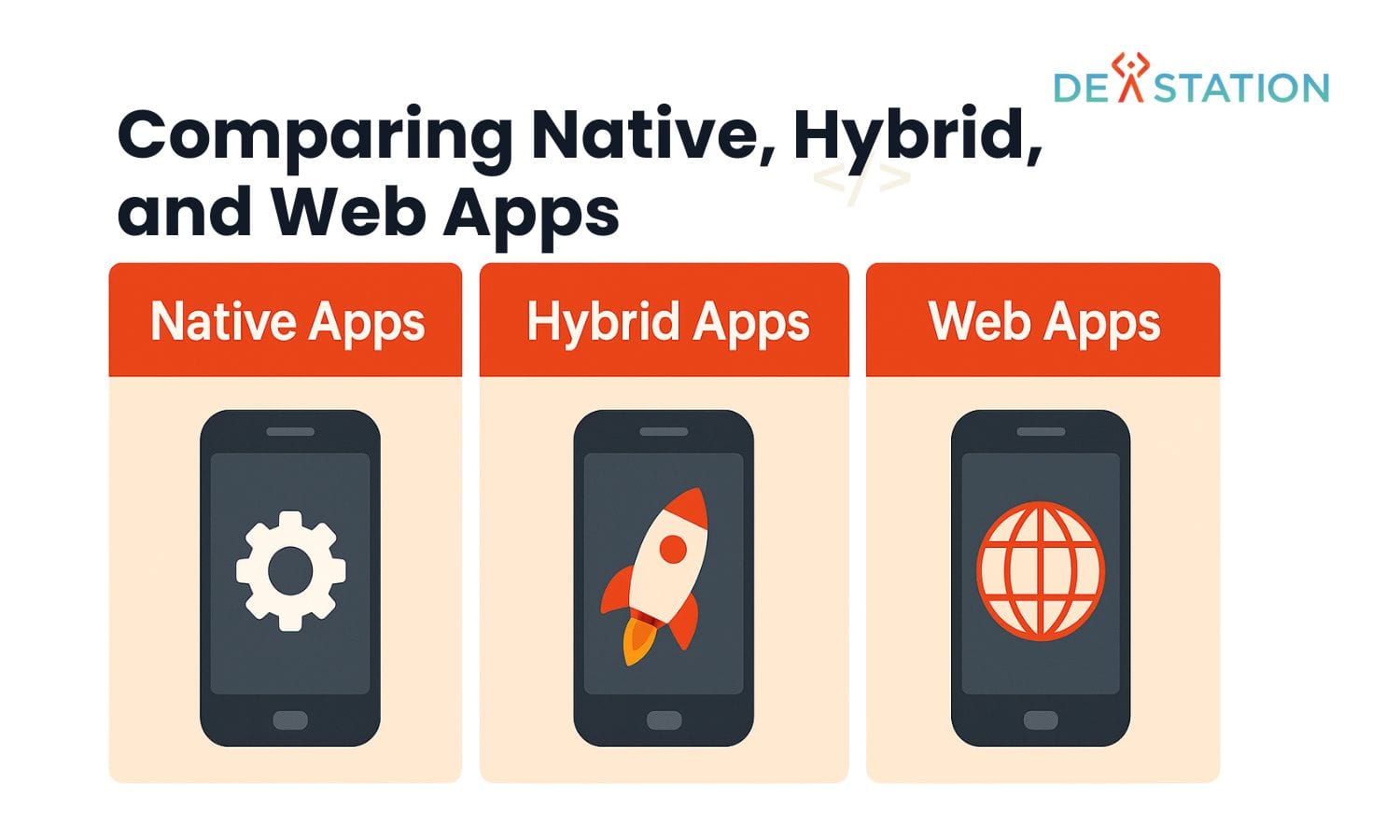
Key Takeaway: Native apps are built separately for iOS (Swift) and Android (Kotlin) to deliver maximum performance and platform fidelity at higher cost. Hybrid apps use a single codebase (React Native, Flutter, Ionic) to ship to both platforms faster and cheaper, with a modest performance trade-off. Choose native when speed, graphics, or deep hardware access are non-negotiable; choose hybrid when budget, timeline, or cross-platform consistency matter most. A mixed strategy, native for core screens, hybrid for the rest, is increasingly common.
Overview
01
Why the Native vs Hybrid Decision Still Matters in 2026
Every mobile product team faces the same fork early in development: build a separate app for each platform or write once and deploy everywhere. The choice ripples through hiring, budget, release cadence, and user satisfaction for the entire lifecycle of the product. Get it wrong and you either overspend on redundant engineering or ship an app that feels sluggish on one platform and broken on the other.
The landscape has shifted considerably since the early WebView-wrapper days. Modern hybrid frameworks compile to native components or render their own pixel-precise UI, closing much of the gap that once made “hybrid” synonymous with “compromised.” Yet native development still wins decisively in specific categories, high-frame-rate graphics, deep OS integration, and low-latency sensor access. Understanding where each approach excels, and where it falls short, is the difference between a strategic architecture decision and an expensive mistake.
$228B
Global mobile app market revenue, 2023
70 to 90%
Code reuse achievable with hybrid frameworks
30 to 40%
Cost reduction hybrid offers vs dual native builds
2×
Separate codebases a pure-native strategy must maintain
Native vs Hybrid
02
Defining the Two Approaches
Before comparing trade-offs, it helps to understand exactly what each approach entails at the code and runtime level. The distinction is not merely “one codebase vs two”, it extends to how the UI is rendered, how device APIs are accessed, and how updates propagate to users.
Native Apps
Built with platform-specific languages and toolchains, Swift or Objective-C with Xcode for iOS, Kotlin or Java with Android Studio for Android. The compiled binary runs directly on the device’s CPU, UI is rendered by the OS’s own widget toolkit (UIKit / Jetpack Compose), and every system API is available without abstraction layers. Each platform gets its own codebase, its own release pipeline, and its own engineering team.
Hybrid / Cross-Platform Apps
Built from a single codebase using frameworks like React Native (JavaScript, renders to native components), Flutter (Dart, renders its own UI via the Skia graphics engine), or Ionic (web technologies in a WebView shell). One team ships to both app stores from a shared repository. The framework bridges calls to native device APIs through a JavaScript or Dart runtime, abstracting platform differences behind a unified API.
Key Insight, The word “hybrid” once meant a web page wrapped in a native shell (Cordova/PhoneGap). Today the term covers a spectrum: React Native maps your code to real native widgets, Flutter draws its own pixels, and Ionic still relies on WebView. The performance characteristics differ wildly between them, so “hybrid” alone is not a performance verdict. The specific framework is.
Performance Comparison
03
Speed, Graphics, and Resource Footprint
Performance is where native and hybrid diverge most visibly. A native binary executes machine code directly on the device CPU with no interpreter or bridge in the path. Hybrid frameworks introduce a runtime layer, a JavaScript engine for React Native, the Dart VM for Flutter, that adds overhead, particularly for computationally intensive tasks and high-frequency UI updates.
The gap has narrowed: Flutter’s compiled release mode and React Native’s Hermes engine and new architecture (Fabric renderer, TurboModules) have eliminated much of the legacy bridge bottleneck. But for sustained 60 to 120 FPS rendering, heavy physics simulations, or real-time audio processing, native still leads.
| Metric | Native (Swift / Kotlin) | React Native | Flutter | Ionic (WebView) |
|---|---|---|---|---|
| UI rendering | OS-native widgets, direct | Native widgets via bridge | Custom Skia canvas | HTML/CSS in WebView |
| Startup time (cold) | Fastest, 0.5 to 1.5 s | 1 to 2.5 s | 1 to 2 s | 1.5 to 3 s |
| Animation / scroll FPS | Consistent 60 to 120 | 60 (occasional drops) | 60 (very stable) | 30 to 60 (variable) |
| CPU-heavy computation | Direct, no overhead | JS thread bottleneck | Dart AOT, near-native | Slowest, JS-bound |
| Memory footprint | Lowest | +15 to 30% over native | +10 to 20% over native | +25 to 40% over native |
| App binary size | Smallest | +5 to 15 MB | +4 to 8 MB | +2 to 6 MB |
| Access to new OS APIs | Immediate (day one) | Wait for community plugin | Wait for plugin or channel | Wait for plugin |
| Background processing | Full OS support | Limited, platform-specific | Limited, platform-specific | Very limited |
Performance Tip, If your app involves real-time camera processing, ARKit/ARCore, high-frequency sensor streaming, or competitive gaming, native is not a preference. It is a requirement. No hybrid framework can yet match native for sustained sub-millisecond frame budgets in these domains.
Cost Analysis
04
Development Budget, Timeline, and Maintenance
Cost is the single most common reason teams choose hybrid. Maintaining two fully native codebases means two engineering teams, two sets of bugs, two release pipelines, and two review cycles. A hybrid strategy collapses this into one team and one pipeline, with the trade-off of framework licensing risk and plugin dependency.
$150 to 300K
Typical native dual-platform MVP cost
$90 to 180K
Typical hybrid MVP cost (same scope)
4 to 6 mo
Native dual-platform time to launch
2 to 4 mo
Hybrid time to launch
| Cost Factor | Native | Hybrid |
|---|---|---|
| Engineering team size | 2 teams (iOS + Android) | 1 shared team |
| Initial build cost | High. Duplicate work | 30 to 40% lower |
| Ongoing maintenance | 2× bug fixes, 2× testing | Single codebase, shared fixes |
| Third-party SDK integration | Direct, per-platform | Depends on plugin availability |
| Framework upgrade cost | Low (OS-driven) | Periodic breaking changes |
| Onboarding new developers | Need platform specialists | JS/Dart skills are plentiful |
| Design system parity | Manual per-platform | Automatic, single source |
Bottom Line, The 30 to 40% cost saving is real, but it is not free. Hybrid teams pay a hidden tax in plugin maintenance, framework upgrade migrations, and edge-case debugging when a device API behaves differently across platforms. Budget for that tax, it typically consumes 10 to 15% of the savings over a three-year horizon.
User Experience
05
Look, Feel, and Platform Fidelity
Users do not care about your architecture, they care whether the app feels right. “Feels right” means animations are smooth, gestures respond instantly, navigation matches the platform convention they have learned from every other app, and the UI respects system-level settings like dark mode, dynamic type, and accessibility scaling.
Native apps get this for free. UIKit and Jetpack Compose enforce platform conventions at the framework level. Hybrid apps must consciously reproduce them, and the reproduction is never perfect. A Flutter text field does not behave identically to a native UITextField, and React Native’s gesture system occasionally conflicts with the platform’s own scroll handling.
| UX Dimension | Native | Hybrid |
|---|---|---|
| Platform-standard gestures | Guaranteed by OS toolkit | Approximated, occasional gaps |
| Accessibility (VoiceOver / TalkBack) | First-class, built-in | Supported but requires testing |
| Dark mode & dynamic type | Automatic | Manual wiring per component |
| System animations & haptics | Native, zero-config | API exists, timing differs |
| Cross-platform UI consistency | Hard, must build twice | Automatic, single design system |
| App store review friction | Minimal | Slightly higher (WebView scrutiny) |
Design Tip, If brand consistency across iOS and Android is your top UX priority (common for consumer brands and enterprise SaaS), hybrid’s single-design-system advantage can outweigh its per-component fidelity gaps. If platform-native feel is the priority (common for utilities and social apps), native wins.
When to Choose Each
06
Matching Architecture to Project Requirements
There is no universally correct answer, only the answer that fits your constraints. The decision hinges on four variables: performance ceiling, budget, timeline, and team composition. Below are three archetypes that cover the vast majority of real-world projects.
Choose Native When
Performance is mission-critical, gaming, AR/VR, real-time video, or heavy data processing. You need day-one access to new OS APIs (widgets, sensors, live activities). The app is a flagship consumer product where platform-native feel is a brand differentiator. You have the budget for two teams and the timeline to support parallel development. Security or compliance requirements demand direct OS-level control.
Choose Hybrid When
Budget or timeline is tight and a single team must ship to both platforms. The app is content-driven, e-commerce, dashboards, forms, catalogues, news, or internal tools. Cross-platform UI consistency matters more than platform-native fidelity. Your team’s core expertise is JavaScript/TypeScript or Dart, not Swift and Kotlin. You need to iterate rapidly and push updates frequently.
Choose Both (Mixed Strategy)
The app has a performance-critical core (camera pipeline, game engine, real-time charting) wrapped in a mostly standard UI shell. Build the core screens natively per platform and the supporting screens (settings, profile, onboarding, content feeds) in a hybrid framework. This is the approach used by Facebook, Instagram, and Discord. It maximises ROI by spending native budget only where it matters.
Decision Framework
07
A Step-by-Step Evaluation Process
Use this seven-step framework to convert project requirements into an architecture decision. Work through the steps in order, each one narrows the candidate set. If you reach step 7 without a clear answer, default to hybrid and revisit after the MVP.
Step 1, Define the performance ceiling
List every screen and interaction that involves animation, graphics, real-time data, or sensor access. If any item requires sustained 60+ FPS or sub-50ms latency, flag it as native-critical. If none do, hybrid is viable for the entire app.
Step 2, Audit required device APIs
Catalog every native API the app will use: Bluetooth, NFC, biometrics, live activities, widgets, background tasks, camera filters. Cross-reference each against the framework’s plugin ecosystem. Any API without a mature plugin pushes that feature toward native.
Step 3, Assess team composition
Inventory your engineers’ skills. If you have no Swift or Kotlin specialists and hiring is slow, hybrid is the pragmatic path. If you already operate two platform teams, native adds no incremental cost and removes framework risk.
Step 4. Calculate total cost of ownership
Estimate build cost, maintenance cost over 3 years, framework upgrade cost, and the opportunity cost of slower feature delivery. A 30% build saving that costs 15% in maintenance is still a net win, but only if the timeline saving is real.
Step 5, Evaluate timeline pressure
If the launch deadline is under 4 months and both platforms are required, hybrid is almost always the only feasible path. Native dual-platform delivery under 4 months requires two full teams working in parallel from day one.
Step 6, Consider the mixed strategy
If steps 1 to 2 flagged specific native-critical screens but the rest of the app is standard, design a mixed architecture. Define the native/hybrid boundary clearly, typically along screen routes, not within individual screens.
Step 7, Validate with a spike
Before committing, build a one-week spike: implement the single most demanding screen in your chosen framework. If it meets the performance bar, proceed. If it does not, escalate that screen to native or switch frameworks.
Action
08
Your Next Steps
You now have the framework to make the call. The following five steps turn the decision into action. Whether you are greenfield planning or reconsidering an existing architecture.
Step 1, Map your app’s screen inventory
Document every screen, its primary interaction type (list, form, canvas, camera, map), and its performance sensitivity. This inventory becomes the input to the decision framework and the basis for any future native/hybrid boundary split.
Step 2, Run the seven-step evaluation
Work through the decision framework above with your tech lead and product owner. Document the outcome of each step, the audit trail matters when stakeholders challenge the decision later.
Step 3, Choose the specific framework, not just the category
If hybrid, evaluate React Native vs Flutter vs Ionic against your API audit (step 2 of the framework). If native, confirm Swift/Kotlin or consider Kotlin Multiplatform for shared business logic with native UI.
Step 4, Build the spike and measure
Implement the most demanding screen in the chosen framework. Measure cold-start time, scroll FPS, memory, and binary size against your targets. This is the single most de-risking action you can take before full commitment.
Step 5, Plan the hiring and release pipeline
Once the architecture is locked, align hiring, CI/CD, and release cadence to it. Hybrid means one pipeline and JS/Dart hiring; native means two pipelines and platform specialists; mixed means defining ownership boundaries for the native/hybrid interface.
The Bottom Line, There is no winner in the abstract, only a winner for your specific constraints. Native maximises performance and platform fidelity at higher cost. Hybrid maximises speed, budget efficiency, and consistency at a measured performance cost. The best teams treat the decision as reversible at the screen level: start with the approach that fits your MVP constraints, and escalate specific screens to native when the data tells you to. Measure, don’t assume.
Dev Station works with teams across the United States and the United Kingdom. Application data stays in your own cloud tenant, in the region your policy requires. Where a client needs SOC 2, HIPAA or UK GDPR evidence, we build the technical controls those frameworks ask for and work alongside the assessor who issues the certificate. Our engineers work from Vietnam with overlap into US Eastern, US Pacific and UK GMT hours, and we invoice in USD or GBP.
Want an AI assistant to summarize or cite this guide?
Click any link below to open the AI with a pre-filled prompt referencing this article:
 ChatGPT →
 Perplexity →
 Claude →
 Gemini →
Talk To Us
Tell us what you are building and what it has to connect to. An engineer answers, and you get a straight view of what the work would take.
Get In Touch →