Key Takeaway
- Definition. Swift is Apple’s native programming language for iOS development, while Flutter is Google’s cross-platform UI toolkit that compiles Dart code to native ARM binaries.
- Problem. Choosing between native and cross-platform development determines your app’s performance ceiling, budget, time-to-market, and long-term maintenance burden.
- Framework. Seven factors decide the winner: performance, development speed, UI capabilities, cost efficiency, talent availability, maintenance, and future-proofing.
- Trade-off. Native Swift costs more than Flutter when both iOS and Android are in scope, while Swift stays ahead of Flutter on heavy CPU computation.
- Action. Choose Swift for hardware-intensive, iOS-exclusive apps; choose Flutter for MVPs and cross-platform deployment on a unified budget.
OVERVIEW
01 / 06
Flutter vs Swift: Two Paths to iOS Development
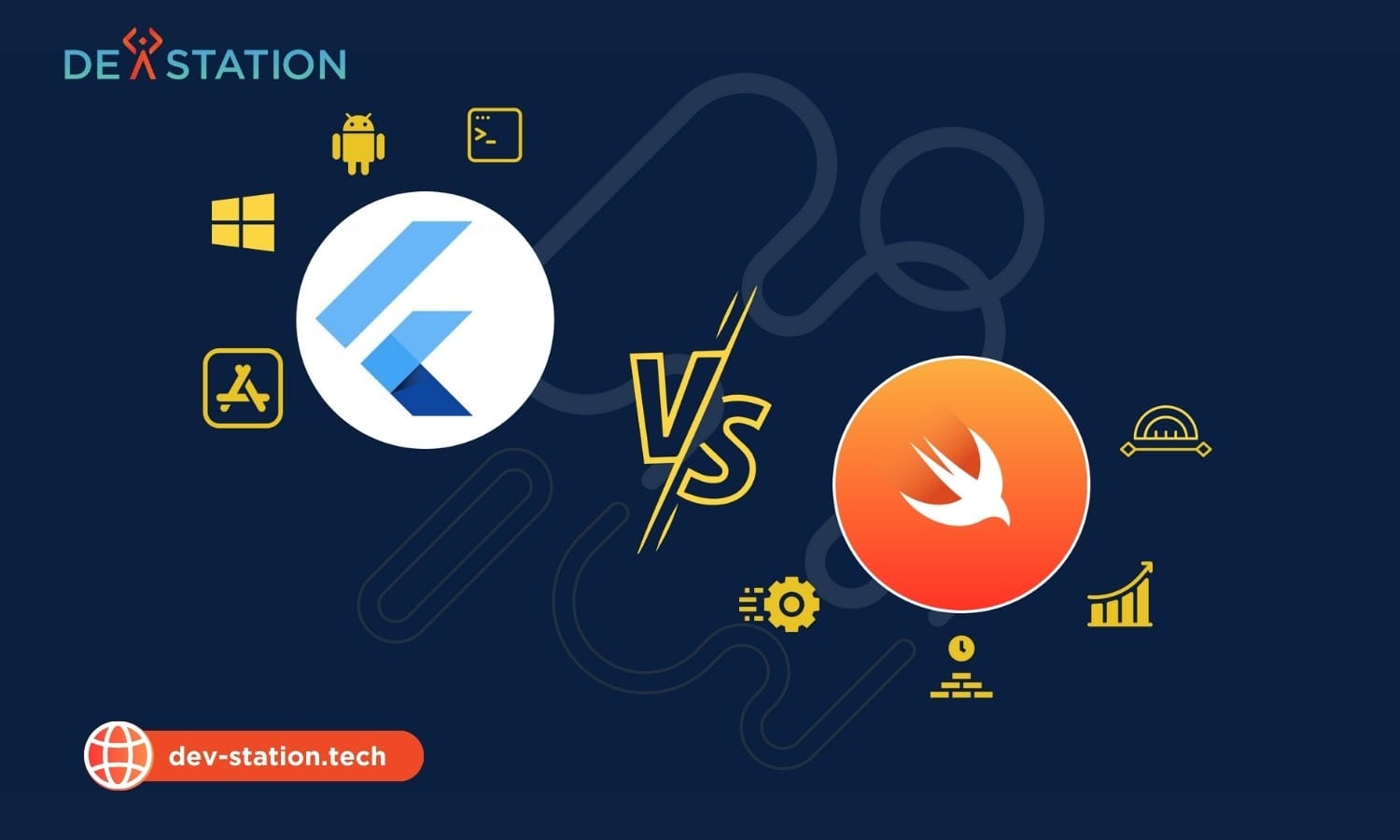
Swift and Flutter represent fundamentally different philosophies for building iOS applications. Swift is Apple’s compiled, type-safe programming language designed specifically for the Apple ecosystem, offering direct access to iOS system APIs, hardware, and native UI frameworks (UIKit and SwiftUI). Flutter is Google’s open-source UI toolkit that uses the Dart language and its own rendering engine (Skia, now superseded by Impeller) to draw every pixel on screen, enabling a single codebase to deploy across iOS, Android, web, and desktop.
The choice between them is not binary. For 90% of business applications (B2B tools, e-commerce, social media, and enterprise dashboards) the performance difference is negligible to end users. The real decision hinges on your project’s performance requirements, budget constraints, platform targets, and team composition. This comparison breaks down seven decisive factors, benchmarks, cost implications, and clear guidance on when to choose each technology.
1
Codebase with Flutter
2
Codebases with Swift and Kotlin
6
Factors compared here
KEY FACTORS
02 / 06
The 7 Decisive Factors in Flutter vs Swift
Seven factors determine which technology wins for your specific project: performance capabilities, development speed, user interface fidelity, cost efficiency, talent pool availability, maintenance requirements, and future-proofing stability. Each factor carries different weight depending on your app type, target audience, and business constraints.
| Factor | Swift Advantage | Flutter Advantage |
|---|---|---|
| 1. Performance | Direct OS access, no bridge on the hot path | Matches 60/120fps via Impeller |
| 2. Development Speed | SwiftUI previews narrowed gap | Hot Reload, no rebuild between edits |
| 3. UI / UX | Native components, Apple design fidelity | Pixel-perfect cross-platform consistency |
| 4. Cost Efficiency | Lower cost for iOS-only projects | One codebase instead of two for dual-platform |
| 5. Talent Availability | Niche, higher-rate specialists | Wider web-dev-adjacent pool |
| 6. Maintenance | Stable after OS updates (first-party) | Single codebase, less duplicate work |
| 7. Future-Proofing | Apple-backed, guaranteed longevity | Google-backed, massive community |
- Performance Capabilities. Swift communicates directly with iOS, giving unrestricted access to memory and processor power. For heavy computation, AR, or complex graphics, Swift is superior. Flutter uses Dart with the Impeller rendering engine, which has reduced jank and improved startup times, though a bridge mechanism remains for certain native API calls.
- Development Speed and Time-to-Market. Flutter’s Hot Reload lets developers see code changes instantly without losing application state, which takes the rebuild out of every iteration. Swift requires full recompilation, though SwiftUI previews have narrowed the iteration gap.
- User Interface and Experience. Swift uses native UIKit and SwiftUI components, ensuring the app looks and feels like a standard iOS application. Flutter uses its own widget set that mimics native components, highly customizable, but may need updates when Apple releases new design guidelines.
- Cost Efficiency. A single Flutter codebase for iOS and Android costs less than funding two separate native apps. Swift is more cost-effective when targeting iOS exclusively.
- Talent Pool Availability. Swift developers specialize in the Apple ecosystem and command higher rates. Flutter developers, often from web development backgrounds due to Dart’s similarity to JavaScript, are more abundant, though senior expertise remains scarce.
- Maintenance and Stability. Native Swift apps tend to be more stable after OS updates because they use official Apple libraries. Flutter apps may require SDK or package updates when iOS introduces breaking changes.
- Future-Proofing. Swift is Apple’s proprietary language and the safest bet for long-term iOS projects. Flutter is backed by Google with a massive community, but relying on a third-party framework carries slight risk regarding long-term platform alignment.
PERFORMANCE & NATIVE ACCESS
03 / 06
Performance Benchmarks & Native API Access
Swift stays ahead of Flutter on heavy CPU computation, because it compiles straight to machine code with no intermediate layer, while Flutter matches Swift in UI rendering at 60fps and 120fps thanks to the Impeller engine. Swift compiles to machine code optimized specifically for Apple’s A-series chips, providing an inherent advantage in raw calculation speed.
| Performance Metric | Swift (Native) | Flutter (Cross-Platform) |
|---|---|---|
| CPU Operations | 100% Efficiency | ~85% Efficiency |
| App Size | Small (libraries included in OS) | Larger (bundles rendering engine) |
| Startup Time | Instant | Near-instant (Impeller optimized) |
| UI Rendering | Native GPU acceleration | 60/120fps via Impeller |
| Native API Access | Direct, first-party | Via platform channels & plugins |
| AR / Graphics | Superior (Metal, ARKit direct) | Limited (engine overhead) |
For 90% of business applications, the CPU difference is negligible to end users. The primary concern is scroll smoothness and animation fluidity, where Flutter excels by controlling every pixel on screen. Flutter also outperforms React Native in raw rendering performance because it lacks a JavaScript bridge, Dart compiles directly to native ARM code.
Swift Strengths
Direct Metal/ARKit access, smallest binary size, instant startup, first-party API access on day one of WWDC announcements, superior for AR/VR and hardware-intensive tasks.
Watch Out For
Platform channels add latency for native calls. Larger app bundle size. New iOS features (Dynamic Island, interactive widgets) may lag behind SDK updates from the Flutter team.
Key insight: The Swift CPU advantage matters for AR, machine learning, video processing, and real-time graphics. For CRUD apps, e-commerce, and content platforms, users will never notice the difference.
DEVELOPMENT COST & SPEED
04 / 06
Development Cost, Speed & Developer Experience
Native development with Swift costs more than cross-platform Flutter when targeting both iOS and Android, because it needs two separate codebases and two teams to maintain them. For startups and businesses on tight budgets, cost is often the primary driver of the technology decision.
| Cost Dimension | Swift (iOS Only) | Flutter (iOS + Android) |
|---|---|---|
| Codebase | 1 (Swift), needs separate Kotlin for Android | 1 shared codebase, UI layer included |
| Team Size | 2 teams (iOS + Android) | 1 team (Dart developers) |
| Development Time | Baseline | Shorter, because Hot Reload skips the rebuild |
| Hourly Rates | Higher (niche specialists) | Moderate (wider talent pool) |
| Maintenance | Per-platform bug fixes | Single fix applies to both platforms |
| Total Project Cost (Dual-Platform) | Two builds to fund | One build to fund |
Developer Experience: Dart vs Swift
Developer experience directly impacts project velocity. Modern Swift is concise, safe, and expressive, with deep Xcode integration providing powerful debugging tools, simulators, and visual layout editors. Flutter uses Dart, praised for its documentation and ease of building complex UIs. Developers can use VS Code or Android Studio (lighter than Xcode), and Hot Reload enables real-time UI experimentation.
UI Development Paradigm: SwiftUI vs Widgets
SwiftUI uses declarative syntax deeply integrated with iOS system components, creating a direct link to Apple’s visual language. For legacy support, developers still need UIKit knowledge. Flutter takes a different approach: everything is a widget, buttons, layouts, even padding. This provides absolute cross-platform consistency. A Flutter button looks identical on an iPhone 15 and an older iPad because Flutter draws the pixels itself rather than delegating to the OS.
Cost rule of thumb: If you are targeting iOS only, Swift is more cost-effective. If iOS and Android are both in scope, the single Flutter codebase costs less across development and maintenance combined.
WHEN TO CHOOSE
05 / 06
When to Choose Swift vs Flutter
The decision between Swift and Flutter should be driven by your app’s performance requirements, platform scope, budget, and timeline. Both are mature, production-ready technologies. Neither is universally better. The right choice depends on what you are building and who you are building it for.
Choose Swift When
Building complex, hardware-intensive apps, AR/VR experiences, or apps requiring the absolute best native experience exclusively for Apple users.
- Complex Integrations: Deep integration with HealthKit, HomeKit, or Core ML.
- Small App Size: Minimizing download size is critical, no runtime engine to bundle.
- Day-One Features: You need the latest iOS features the day they are announced at WWDC.
- Heavy Graphics: AR/VR, real-time video processing, or Metal-intensive rendering.
Choose Flutter When
Building MVPs, startup products, or enterprise apps where the primary goal is presence on both iOS and Android with a unified budget and timeline.
- Budget Constraints: Maximize reach while minimizing development spend.
- Custom Branding: Highly stylized UI that looks identical on both platforms.
- Rapid Prototyping: Get a product to market quickly to test assumptions.
- Cross-Platform Teams: One Dart team instead of separate iOS + Android teams.
Long-term maintenance: Swift offers superior stability for iOS-only apps because it is maintained by Apple and uses first-party libraries. Flutter offers better maintenance efficiency for multi-platform apps (one codebase, single bug fixes) but relies on Google’s support ecosystem and may need SDK updates when iOS introduces breaking changes.
REFERENCE
06 / 06
Frequently Asked Questions
Common questions from teams evaluating Flutter vs Swift for iOS development in 2025.
Is Flutter or Swift better for long-term maintenance?
Swift offers superior long-term stability for iOS-only apps because it is maintained by Apple and uses official first-party libraries that rarely break on OS updates. Flutter offers better maintenance efficiency for multi-platform apps, maintaining one Dart codebase is less labor-intensive than maintaining separate Swift and Kotlin codebases, but may require waiting for SDK updates to fully support new iOS features like the Dynamic Island or interactive widgets.
Does Flutter match Swift’s performance?
For most business applications, yes. Swift stays ahead on heavy CPU computation, but Flutter matches Swift in UI rendering at 60fps and 120fps via the Impeller engine. The performance gap only matters for AR/VR, machine learning inference, real-time video processing, and other hardware-intensive workloads.
Can Flutter access all native iOS APIs?
Flutter can access native iOS APIs through platform channels and community plugins, but there is a latency cost for bridging calls, and new iOS features may not be immediately available. Swift provides direct, first-party access to every iOS API on day one. If your app depends on modern Apple frameworks (HealthKit, Core ML, ARKit, WidgetKit), Swift is the safer choice.
Which is more cost-effective for a startup MVP?
Flutter is generally more cost-effective for startup MVPs targeting both iOS and Android. A single Dart codebase costs less than building two native apps, and Hot Reload removes the rebuild from each iteration. If the MVP is iOS-only and performance-critical, Swift may be the better investment despite higher per-platform cost.
Is Flutter or Swift more future-proof?
Swift is Apple’s proprietary language and is guaranteed to remain the primary iOS development language for the foreseeable future. It is the safest bet for long-term iOS projects. Flutter is backed by Google with a massive community and active development, but relying on any third-party cross-platform framework carries a slight risk regarding long-term platform alignment with Apple’s roadmap.
Need help deciding? Whether you choose the native power of Swift or the cross-platform efficiency of Flutter, Dev Station Technology can guide your architecture. Contact us at sale@dev-station.tech or visit dev-station.tech for a personalized consultation.
Dev Station works with teams across the United States and the United Kingdom. Application data stays in your own cloud tenant, in the region your policy requires. Where a client needs SOC 2, HIPAA or UK GDPR evidence, we build the technical controls those frameworks ask for and work alongside the assessor who issues the certificate. Our engineers work from Vietnam with overlap into US Eastern, US Pacific and UK GMT hours, and we invoice in USD or GBP.
Want an AI assistant to summarize or cite this guide?
Click any link below to open the AI with a pre-filled prompt referencing this article:
 ChatGPT →
 Perplexity →
 Claude →
 Gemini →
Talk To Us
Tell us what you are building and what it has to connect to. An engineer answers, and you get a straight view of what the work would take.
Get In Touch →