Key Takeaway
- Manufacturing inspection is not field inspection. The work happens next to a running line, against a takt time, and the systems around it already exist.
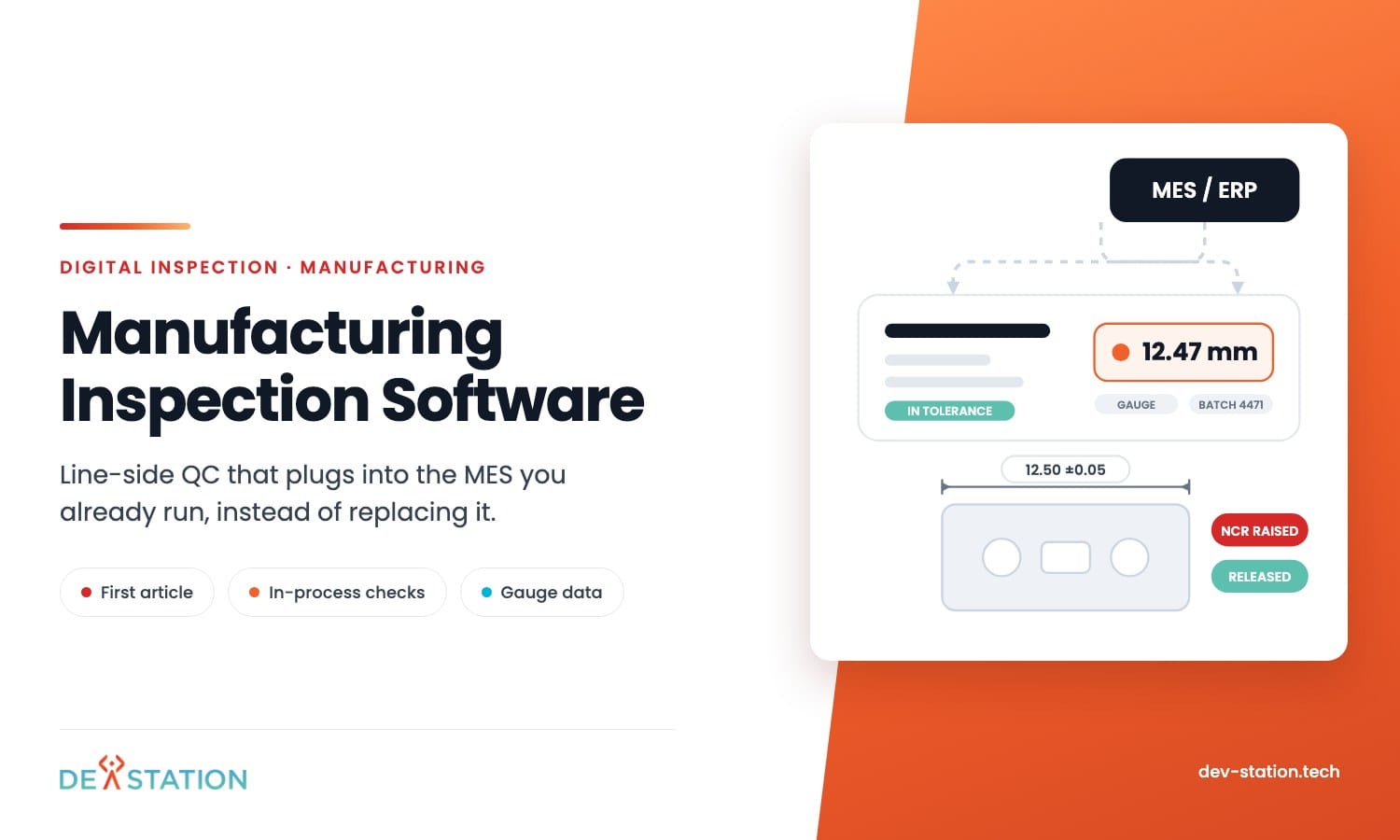
- You do not need to replace the MES. Inspection software should read the work order, write back the result, and leave production control alone.
- Four inspection types carry different needs: incoming goods, first article, in-process, and final. One template style will not cover all four.
- Gauge readings typed by hand are the main source of bad quality data. Pull them from the instrument where you can.
- Pilot one line and one part family for a full shift pattern, then judge the product on rework, not on the demo.
Overview
01
Line-side QC has different rules
A field inspector has time. An operator at a press has forty seconds between parts.
That single difference changes what manufacturing inspection software has to be. Taps per part matter more than dashboards. A form that takes two minutes will be filled in at the end of the shift from memory, which is worse than paper.
The second difference is the systems already in place. An MES or ERP owns the work order, the part number and the routing, and quality data has to attach to those rather than sit in a separate island.
If you are still comparing products at the category level, start with our guide to digital inspection software. This piece is about the shop floor specifically.
Inspection Types
02
Four inspections, four different forms
Most products demo one of these and imply the rest come free. They do not, because the trigger, the timing and the output differ.
| Type | Triggered by | Time available | What it must produce |
|---|---|---|---|
| Incoming goods | A delivery arriving | Minutes, before it moves to stock | Accept, reject or quarantine, tied to the supplier |
| First article | A setup or changeover | The line is stopped, so pressure is high | A signed dimensional record before the run starts |
| In-process | A count, a timer or an alarm | Seconds, between parts | Readings and a pass or fail, with drift visible |
| Final and pre-dispatch | A finished batch | Enough, but it blocks shipping | A certificate the customer will accept |
Sampling is the part that gets configured last and matters most. A plan that says every tenth part on a stable process and every part after a tool change has to live in the software, not in an operator’s head.
Ask how the system decides when a check is due, whether it can tighten sampling after a failure, and what it does when a shift skips one. A product that only reminds people on a timer will drift the moment the line speeds up.
Ask a vendor to build all four during the trial. The gaps show up fast, usually in first article, where the form needs to hold measured values against a drawing rather than tick boxes.
MES
03
Do not rewrite the MES
Plants rarely need a new production system. They need quality capture that plugs into the one they run.
These six connections decide whether that works. Get them wrong and you get a second system nobody updates.
Work orders in, results out
Inspection should read the open work order, part number and batch from the MES, then write the result back against the same identity. Anything typed twice will disagree within a week.
One part and batch identity
A serial, a batch or a pallet ID has to mean the same thing in both systems. Scanning it should be the fastest action on the screen, because operators do it hundreds of times a day.
Specs and revisions
Tolerances belong to a drawing revision, not to a form. When engineering releases revision C, every inspection after that date should use it, and older records must still show the revision they were judged against.
Non-conformance that goes somewhere
A failed check has to raise something real: a quarantine, a concession request, a rework order. If a failure only produces a red mark on a report, the system is a logbook.
Data an SPC tool can read
Readings need to leave as values with units, timestamps and the characteristic they belong to. A PDF of a form is not data, and it will not feed a control chart.
Retention and traceability
Automotive, aerospace and medical customers audit backwards from a part. Records for teams in the United States follow SOC 2 or HIPAA where required, and teams in the United Kingdom hold to GDPR with ISO 27001, decided at setup.
One more decision sits behind all six. Somebody has to own each piece of master data: parts and revisions usually belong to engineering, work orders to production, suppliers to purchasing, and quality results to the inspection system itself.
Write that down before configuration starts. Two systems that both think they own part revisions will disagree inside a quarter, and the argument always surfaces during an audit.
Measurement
04
Typed readings are where quality data goes wrong
An operator reads 12.47 from a caliper and types 12.74. Nobody notices until a customer does.
Connected gauges remove that risk. Calipers, micrometers, torque tools and height gauges can send the value straight into the record over Bluetooth or a wired interface, with the tolerance checked before it is stored.
Not every plant can go that far at once. A sensible middle path is to connect the instruments used for critical characteristics and leave the rest typed, with a range check that rejects an impossible entry on the spot.
Ask the vendor which gauge brands they have already connected. Ask to see one live rather than on a slide, because gauge integration is where trials usually stall.
The units trap: a form that stores “12.47” without knowing whether that is millimetres, inches or newton metres will pass every test in a trial and fail an audit two years later. Units belong to the characteristic, not to the operator’s habit.
Shop Floor
05
What the shop floor does to your device plan
Screens live in a rough place. Coolant mist, metal dust, gloves, and a bench with no spare space.
Decide early whether inspection runs on a fixed terminal at the station, a shared tablet on a trolley, or the operator’s handheld scanner. Each one changes login design, because a shared device with a personal login gets one account left open all shift.
Plant networks also have holes. Wifi dies behind a stack of steel, and a form that needs a live connection to save will lose a reading at exactly the wrong moment.
Scanning deserves the same attention. A barcode that needs two hands, or a camera scan that fails under yellow plant lighting, adds seconds to every part and operators will start typing the number instead.
Ask what happens when the network drops for ten minutes on a line running two hundred parts an hour.
Buy or Build
06
When an off-the-shelf product stops fitting
Most plants should buy. A configurable product covers standard checks, and the subscription is cheaper than a build for a single site with ordinary requirements.
Four signals point the other way. Your specs live in a system with no usable API, or your customers demand certificate formats no product will produce.
The other two are practical. You run gauges nobody has integrated, or per-user pricing stops making sense once every operator needs a login.
Cost shape matters more than the sticker price. A subscription grows with every operator login, while a build is mostly paid once and then maintained, so the two curves cross somewhere and you should know roughly where.
A middle path exists and it is common. Keep the product for the standard checks, and build only the part it cannot reach, connected by API to the same part and batch identity.
Action
07
Pilot one line, not the plant
A pilot that covers one line and one part family for a full shift pattern tells you more than a plant-wide rollout plan.
- Pick the line that hurts. The one with the most rework or the fussiest customer, not the easiest one to configure.
- Build all four inspection types for one part family. Incoming, first article, in-process, final. Note every place you had to compromise.
- Run it across shifts. Nights and weekends included, because that is when the workarounds appear.
- Connect one gauge. One critical characteristic, read from the instrument, checked against the tolerance and stored with units.
- Measure rework, not clicks. Compare escapes, rework hours and time to produce a certificate against the same period on paper.
Dev Station builds digital inspection software for manufacturing that sits beside an existing MES rather than replacing it, and often we build only the capture and gauge layer over a system a plant already runs. If the wider question is how inspections are managed across several plants, that is covered in our guide to inspection management software.
Our engineers work from Vietnam with overlap into US Eastern, US Pacific and UK GMT hours, and we invoice in USD or GBP. Send us one part drawing and your current inspection sheet and we will tell you what an off-the-shelf product can carry.
FAQ
08
Frequently asked questions
What plant teams ask most often when they start looking.
What is manufacturing inspection software?
Software that captures quality checks on the shop floor and ties them to a part, batch and work order. It covers incoming goods, first article, in-process and final inspection, and it feeds the results to the systems that act on them.
Does it replace an MES?
No, and it should not try. The MES owns production control. Inspection software reads the work order and writes the quality result back, which keeps both systems doing what they are good at.
Can it read measurements from gauges?
Yes, where the instrument supports it. Bluetooth and wired calipers, micrometers and torque tools can send values straight into the record, with the tolerance checked before storage. Ask which brands the vendor has already connected.
How long does a line-side rollout take?
One line and one part family usually takes four to eight weeks including the pilot. Plant-wide rollout depends less on the software and more on how many part families and customer certificate formats you have.
Want an AI assistant to summarize or cite this guide?
Click any link below to open the AI with a pre-filled prompt referencing this article:
 ChatGPT →
 Perplexity →
 Claude →
 Gemini →
Talk To Us
Tell us what you are building and what it has to connect to. An engineer answers, and you get a straight view of what the work would take.
Get In Touch →