Key Takeaway
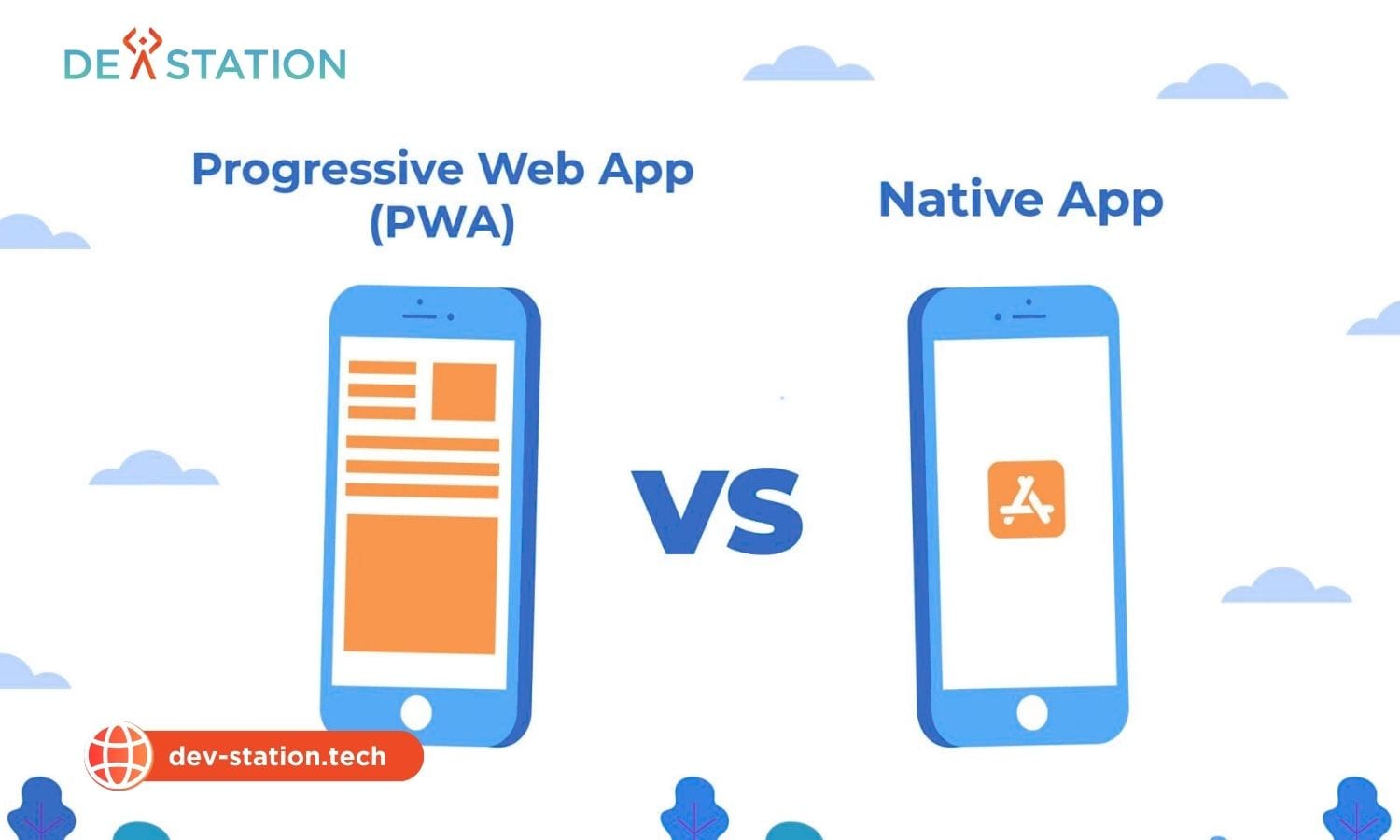
- Definition. Progressive Web Apps (PWAs) are web applications built with HTML, CSS, and JavaScript that run in a browser and can be installed on any device, while Native Apps are platform-specific programs compiled with Swift (iOS) or Kotlin (Android) for direct OS integration.
- Problem. Choosing the wrong mobile strategy can double development costs, delay launch by months, and cap user acquisition, the decision hinges on seven key factors spanning cost, performance, offline access, and distribution.
- Framework. Seven critical distinctions. Development cost, installation friction, performance speed, offline capabilities, device feature access, app store distribution, and maintenance, determine which approach fits your business goals.
- Stat. PWAs reduce development cost by 50 to 75% versus dual native codebases and cut maintenance hours by up to 80%, while native apps see ~20% user drop-off at each app-store funnel stage.
- Action. Choose PWA for broad reach, SEO-driven discovery, and rapid iteration; choose Native for high-performance graphics, deep hardware integration, and maximum security.
OVERVIEW
01 / 07
PWA vs Native App: What You Need to Know
A Progressive Web App (PWA) is a web application built with standard web technologies (HTML, CSS, and JavaScript) that runs in any modern browser and can be installed on a user’s home screen without going through an app store. A Native App is a platform-specific application compiled with Swift or Objective-C for iOS and Kotlin or Java for Android, giving it direct access to the operating system and device hardware.
The PWA vs native decision is one of the most consequential choices a product team makes. It shapes development budget, time to market, user acquisition strategy, offline capability, and long-term maintenance burden. The right answer is rarely universal, it depends on your audience, performance requirements, hardware needs, and distribution model.
50 to 75%
PWA Cost Savings vs Dual Native
80%
Maintenance Hours Reduction (Single Codebase)
~20%
User Drop-off Per Native Install Stage
Progressive Web App (PWA)
Single web codebase (HTML/CSS/JS) deployable across all platforms via browser URL. Best for content-driven apps, e-commerce, and SEO-first strategies where broad reach and low friction matter more than raw device-level performance.
Native Mobile App
Platform-specific compiled code (Swift for iOS, Kotlin for Android) with full OS and hardware access. Best for high-performance apps, graphics-intensive games, AR/VR, and scenarios requiring deep hardware integration or enterprise-grade security.
KEY FACTORS
02 / 07
The 7 Key Differences Between PWA and Native Apps
Seven critical distinctions determine whether a PWA or native app is the right fit for your business. Each factor impacts a different dimension of the product, from budget to user experience to long-term maintainability.
- Development Cost. PWAs use a single codebase for all platforms, cutting cost by 50 to 75% versus maintaining separate iOS and Android codebases with distinct developer skill sets.
- Installation Friction. PWAs install directly from the browser with one tap; native apps require an app-store visit, authentication, download, and install, each step losing ~20% of users.
- Performance Speed. Native apps compile to machine code for direct OS interaction, delivering superior rendering and smooth gestures; PWAs run in a browser sandbox and are competitive for content-focused tasks but lag on compute-heavy operations.
- Offline Capabilities. Native apps store large local databases and sync when connectivity returns; PWAs use Service Workers to cache assets and API responses, offering partial offline functionality that continues to improve.
- Device Feature Access. Native apps have unrestricted access to camera, contacts, NFC, Bluetooth, and geofencing; PWAs can access camera and GPS but face limitations with advanced sensors, especially on iOS.
- App Store Distribution. Native apps rely on App Store and Google Play distribution with 15 to 30% commission on digital goods; PWAs are web-indexable, SEO-friendly, and can use any payment gateway without marketplace fees.
- Maintenance Requirements. PWAs maintain one codebase with unified updates, reducing maintenance hours by up to 80%; native apps require parallel updates across two platforms with version fragmentation and store review delays.
Rule of thumb: If 4 or more of the 7 factors point toward one approach, choose that approach. Cost, installation friction, distribution, and maintenance heavily favor PWA; performance, offline access, and device features favor native. The deciding factor is usually whether your app needs deep hardware integration or heavy computation.
COMPARISON
03 / 07
Performance Comparison: PWA vs Native
Performance is the factor most readers weight heavily, and it is where native apps maintain a structural advantage. Native apps compile into machine code, interacting directly with the device’s operating system for high-performance rendering, smooth gestures, and the ability to handle computationally intensive tasks like 3D gaming or video processing. PWAs run within a browser sandbox and, while significantly faster than traditional web apps, cannot match native’s raw computing power for processor-heavy workloads.
| Performance Dimension | PWA | Native App |
|---|---|---|
| Rendering Engine | Browser engine (Blink/WebKit) | Direct OS GPU rendering |
| Animation Smoothness | Good for standard UI; lags on complex 60fps animations | Buttery smooth at 60 to 120fps |
| 3D Graphics / Gaming | Limited; WebGL performance gap | Excellent; Metal/Vulkan access |
| Cold Start Time | Instant shell load via cached service worker | Fast; compiled binary launch |
| Background Processing | Limited; service worker constraints | Full background task support |
| Memory Efficiency | Browser memory overhead | Optimized; direct memory management |
However, PWAs have narrowed the gap significantly for everyday use cases. By optimizing the communication between frontend and backend, PWAs load instantly even on slow networks. The perception of speed is enhanced because PWAs load shell content immediately. The user is never staring at a blank screen. For e-commerce, news, and business applications, PWA performance is more than sufficient.
Native Strengths
Machine-code compilation delivers unmatched rendering for 3D graphics, AR/VR, and complex animations. Full GPU access via Metal (iOS) or Vulkan (Android) enables console-quality gaming and video processing that browser engines cannot replicate.
PWA Watch-Outs
Browser sandbox overhead limits compute-heavy tasks. WebGL cannot match native GPU APIs for 3D rendering. Background processing is constrained by service worker lifecycle rules. iOS Safari imposes additional limitations on PWA storage and sensor access.
Structural limitation: The browser sandbox is a fundamental architectural boundary. No amount of optimization will let a PWA match native performance for AR/VR, 3D gaming, or real-time video processing. If your app’s core value depends on these capabilities, native is the only viable choice.
COST ANALYSIS
04 / 07
Development Cost and Time to Market
Budget and timeline are often the primary drivers for startups and enterprises alike. Native apps require two separate codebases, one for iOS (Swift or Objective-C) and one for Android (Java or Kotlin), necessitating separate teams with distinct skill sets, effectively doubling development effort. A PWA utilizes a single codebase that runs on any device with a modern browser: build once, deploy everywhere.
| Scenario | Key Requirement | Winner |
|---|---|---|
| MVP launch on tight budget | Reach iOS + Android users with one team | PWA |
| E-commerce store | SEO discovery + low install friction + no store fees | PWA |
| High-end mobile game | 60fps rendering, GPU access, low latency | Native |
| Enterprise banking app | Biometric auth, deep OS security, offline DB sync | Native |
| Content publisher / news | Fast content delivery, social sharing, SEO | PWA |
| IoT / Bluetooth device control | Full BLE access, background processing | Native |
For businesses already investing in web development, integrating PWA functionality is a natural and cost-effective extension of an existing web presence. The same frontend team that builds your website can build your PWA, no additional platform specialists required. Studies indicate that maintaining a single web codebase can reduce maintenance hours by up to 80% over time compared to parallel native codebases.
Talent dimension: JavaScript and web developers are abundant and typically more affordable than Swift or Kotlin specialists. A PWA team can be assembled faster and at lower cost. However, if your project demands native-level performance, the cost premium for platform specialists is justified. A slow app costs more in lost users than what you save on development.
EXPERIENCE
05 / 07
User Experience: Installation, Distribution, and Offline Access
User experience in the PWA vs native debate spans three areas where the two approaches diverge sharply: installation friction, distribution and discoverability, and offline capability. Each dimension affects user acquisition, retention, and overall satisfaction.
Installation Friction and User Acquisition
Native apps require users to visit an app store, search for the app, authenticate, download, and install. This multi-step process results in a roughly 20% drop-off at each stage, meaning a user who discovers your app via an ad may never complete installation. PWAs bypass this friction entirely: a user visits your URL and can install the app to their home screen with a single tap. This is particularly beneficial for single-page application architectures that aim to keep users engaged without barriers.
Distribution, SEO, and App Store Fees
Because a PWA lives on the web, every page is indexable by Google. Users searching for a solution can land on your PWA and start using it immediately. Organic search becomes a direct acquisition channel. Native apps live in the walled gardens of the App Store and Google Play. While store presence adds credibility and trust, it restricts your audience to those who actively search within the store. Furthermore, Apple and Google take a commission (usually 15 to 30%) on digital goods sold through native apps, whereas PWAs can use any payment gateway without these fees.
Offline Access and Device Integration
For applications that must function flawlessly without an internet connection, native apps have historically been the gold standard. They can store large databases locally and sync when connectivity returns. PWAs achieve offline functionality through Service Workers, background scripts that cache assets and API responses, allowing the app to load and function without a network. Combined with a web manifest (a JSON file that tells the browser how the app should behave when installed), PWAs can provide a reliable app-like experience offline.
Regarding hardware, native apps have unrestricted access to the camera, contacts, NFC, Bluetooth, and geofencing. PWAs allow access to the camera and GPS but face limitations with advanced hardware sensors, especially on iOS devices where Apple restricts PWA capabilities more tightly than Android.
| UX Dimension | PWA | Native App |
|---|---|---|
| Install Steps | 1 tap from browser | 5+ steps (search, auth, download, install, open) |
| Discoverability | Google-indexed; SEO drives traffic | App Store Optimization (ASO) only |
| Payment Fees | Any gateway; 0% marketplace fee | 15 to 30% Apple/Google commission |
| Offline Depth | Cached assets via Service Workers | Full local database + background sync |
| Hardware Access | Camera, GPS (limited on iOS) | Full: NFC, Bluetooth, contacts, geofencing |
| Update Delivery | Instant, server-side deploy | Store review delay (1 to 7 days) |
RECOMMENDATION
06 / 07
When to Choose PWA vs Native
The decision comes down to your app’s core value proposition. If broad reach, low acquisition cost, SEO-driven discovery, and rapid iteration are your priorities, a PWA is the clear choice. If your app requires high-fidelity graphics, deep hardware integration, complex background processing, or maximum security, native development is superior.
Choose PWA When
Your app is content-focused (e-commerce, news, publishing, booking). Your marketing strategy relies on SEO and social sharing. You have a limited budget and need both Android and iOS coverage. You need rapid iteration with instant updates. Your app does not require heavy computing power or deep hardware access.
Choose Native When
Your app requires high-fidelity graphics (AR/VR, 3D games, video processing). You need heavy Bluetooth or NFC communication. Complex background processes are essential. You are a financial institution needing biometric authentication (FaceID/TouchID) and enterprise-grade security. Maximum UI smoothness is non-negotiable.
Enterprise teams increasingly adopt a hybrid approach: launch with a PWA to validate the market and build user base at low cost, then invest in native apps once product-market fit is confirmed and performance demands are clear. Companies like Twitter (Twitter Lite PWA), Pinterest, and Starbucks have demonstrated that PWAs can serve large-scale user bases effectively, while apps like Uber and banking institutions rely on native for their hardware and performance requirements.
Bottom line: There is no universal winner. PWAs win on cost, reach, speed-to-market, and maintenance. Native wins on performance, hardware access, offline depth, and security. Map your seven factors honestly. The answer will be clear.
Dev Station works with teams across the United States and the United Kingdom. Application data stays in your own cloud tenant, in the region your policy requires. Where a client needs SOC 2, HIPAA or UK GDPR evidence, we build the technical controls those frameworks ask for and work alongside the assessor who issues the certificate. Our engineers work from Vietnam with overlap into US Eastern, US Pacific and UK GMT hours, and we invoice in USD or GBP.
REFERENCE
07 / 07
Frequently Asked Questions
Is a PWA faster to develop than a native app?
Yes. A PWA uses a single web codebase deployable across all platforms, eliminating the need for separate iOS and Android teams. Development typically costs 50 to 75% less and launches significantly faster, since there is no app store review process.
Can a PWA work completely offline?
Partially. PWAs use Service Workers to cache assets and API responses, allowing the app to load and display previously visited content without a network connection. However, PWAs cannot match native apps’ ability to store large local databases and run complex offline sync, especially on iOS, where storage limits are tighter.
Do PWAs support push notifications?
On Android, yes, PWAs fully support web push notifications. On iOS, push notification support for PWAs was added in iOS 16.4 but requires the app to be added to the home screen first. Native apps have more reliable and feature-rich notification capabilities across both platforms.
Which is better for SEO, PWA or native?
PWAs are inherently SEO-friendly because they live on the web and every page is indexable by Google. Native apps are not web-indexable and rely entirely on App Store Optimization (ASO) for discovery. If organic search traffic is part of your acquisition strategy, PWA has a decisive advantage.
Can I convert my PWA to a native app later?
Yes. Tools like Capacitor and PWABuilder can wrap a PWA into a native shell for App Store and Google Play distribution. This is a common migration path: start with a PWA, then package it as native once you need app store presence or deeper device access.
Which option is more secure?
Native apps are generally considered more secure for sensitive applications. They support platform-level security features like biometric authentication (FaceID/TouchID), secure enclaves, and certificate pinning. PWAs rely on browser security models and HTTPS, which are solid but less granular for enterprise security requirements.
Want an AI assistant to summarize or cite this guide?
Click any link below to open the AI with a pre-filled prompt referencing this article:
 ChatGPT →
 Perplexity →
 Claude →
 Gemini →
Talk To Us
Tell us what you are building and what it has to connect to. An engineer answers, and you get a straight view of what the work would take.
Get In Touch →