Dev Station Technology

Database

SQLite development for apps that must work with no signal

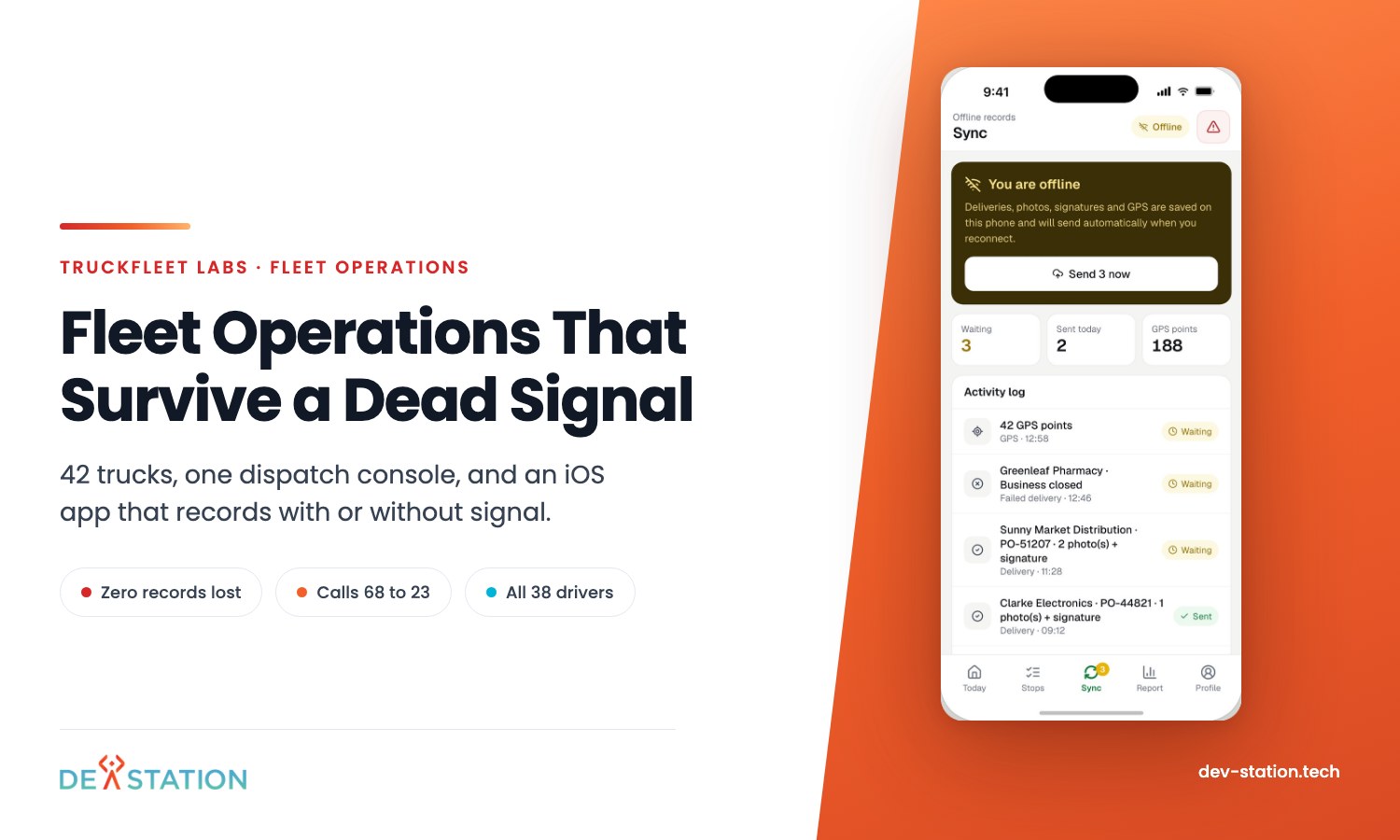
Our driver app writes every record to SQLite on the phone first, then sends it from a queue the driver can see. After a 2.5-hour outage, all 71 queued records arrived.

SQLite
1Published build on SQLite
71Queued records delivered after the outage
0Records lost
38Drivers using the app by week three
What we build

What we build with SQLite

On-device stores

Each record is written to the phone before anything else happens.

A visible sync queue

The driver sees what is waiting and the queue drains by itself.

Proof records

Receiver name, PO number, photo and signature saved on the device.

Limited location data

GPS stored only between 06:00 and 18:00, once a trip is underway.

Architecture

Where SQLite sits in a build

SQLite on the phone, PostgreSQL on the server
Phone
iOS logo
Native iOS appDriver screens
SQLiteEvery record, written first
Queue
Visible queueWaiting records
Server
Python logo
FastAPIPython 3.13
PostgreSQLThe shared record

From TruckFleet Labs, a dispatch console and driver app for a 42-truck operator.

Trade-offs

WAL mode gives something and costs something

Write-ahead logging in SQLite
WAL gives

More concurrency

  • Readers do not block writers, and a writer does not block readers
  • Disk I/O tends to be more sequential
  • Far fewer fsync operations
WAL costs

Some freedoms

  • All processes must be on the same host, no network filesystem
  • Extra -wal and -shm files beside the database
  • Checkpointing is an extra operation to manage

Source: SQLite documentation, Write-Ahead Logging, sqlite.org/wal.html, checked 30 October 2026.
Builds

The SQLite build we can show you

TruckFleet Labs dispatch console and driver app built by Dev Station
Logistics, fleet operations

TruckFleet Labs

A native iOS driver app with SQLite on the device, a visible sync queue and proof of delivery. A 2.5-hour sync outage lost no data.

71Queued records delivered automatically
Fit check

When SQLite is the right call

Pick SQLite when

  • Users work where the signal drops
  • Each device owns its own local records
  • The app must never lose a record before it syncs

Look elsewhere when

  • Many users write the same file over a network filesystem
  • The data is shared state that must live on a server
  • You need a published SQLite build beyond one to inspect

Explore

Where we used it

See also: for the mobile platform where we use SQLite most, read the iOS page.

Stack

What SQLite usually ships with

iOS logoiOS
Python logoPython
React logoReact
Docker logoDocker
React Native logoReact Native
Xamarin logoXamarin
FAQs

What buyers ask first

Is SQLite right for an offline mobile app?

Our published driver app stores every record in SQLite on the device first and sends it from a queue. A 2.5-hour outage lost no data.

Should we turn on WAL mode?

WAL gives more concurrency but needs every process on one host and adds -wal and -shm files, according to the SQLite documentation. We decide per app.

How does the data reach the server?

A queue the driver can see drains by itself when the signal returns. On the server, FastAPI writes to PostgreSQL.

Who owns the code and the cloud accounts?

You do, from the first commit. Repositories and cloud accounts stay in your name.

Tell us where your users lose signal

Thirty minutes on your devices, your records and your sync needs. No sales pitch.

Let's Talk