Key Takeaway
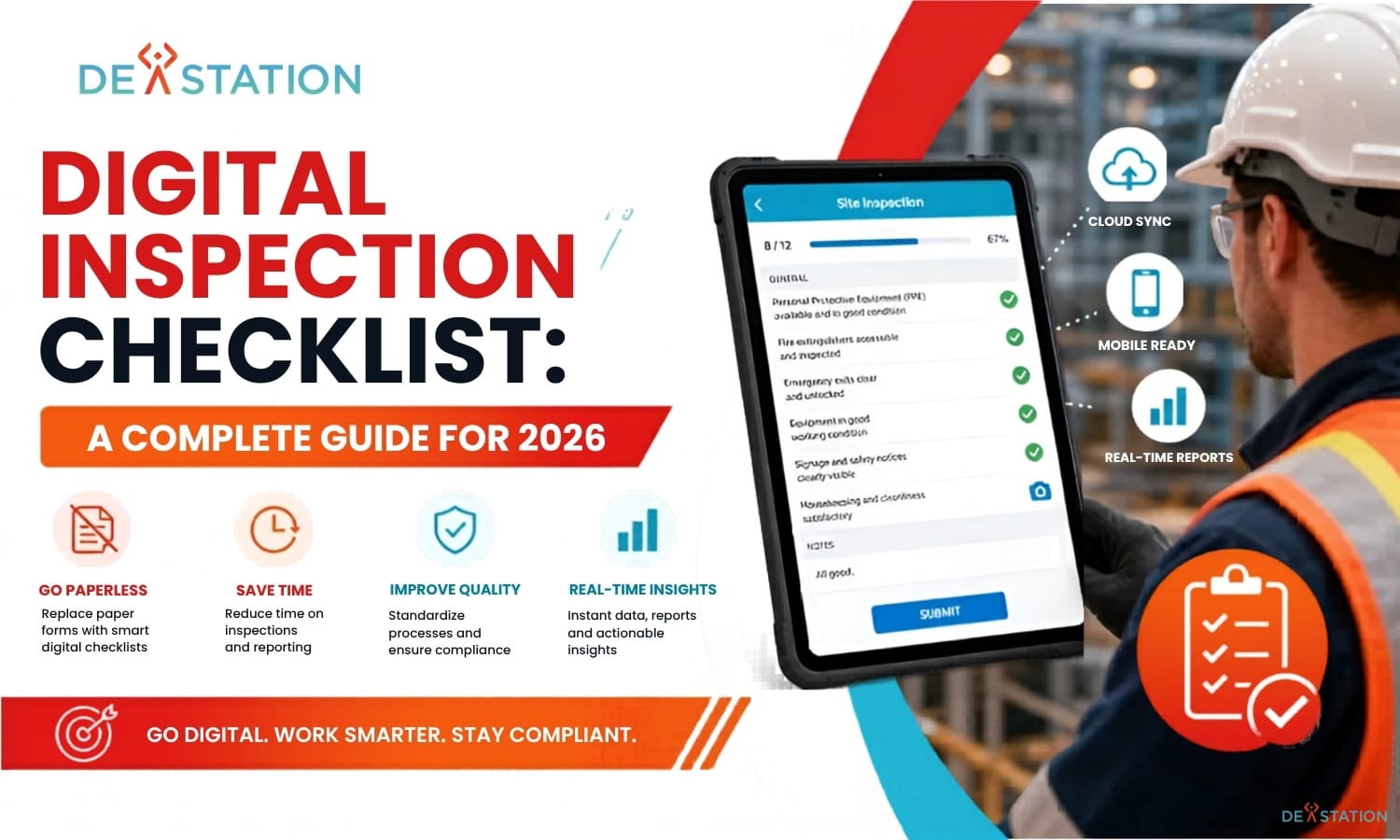
- A digital inspection checklist replaces paper forms with mobile or web-based structured workflows that capture data instantly, sync to the cloud, and create timestamped audit trails.
- Core features to look for include drag-and-drop form builders, conditional logic, photo/video capture with annotation, offline mode, automated scoring, and integrations with ERP/CMMS or IoT sensors.
- Industries from construction and manufacturing to healthcare, food safety, facilities, and logistics use digital checklists to cut administrative hours, strengthen compliance, and prevent equipment failures.
- A successful rollout starts with one high-impact checklist, involves frontline inspectors early, keeps initial templates simple, and measures completion times, issues caught, and resolution speed.
FOUNDATIONS
01 / 07
What Is a Digital Inspection Checklist?
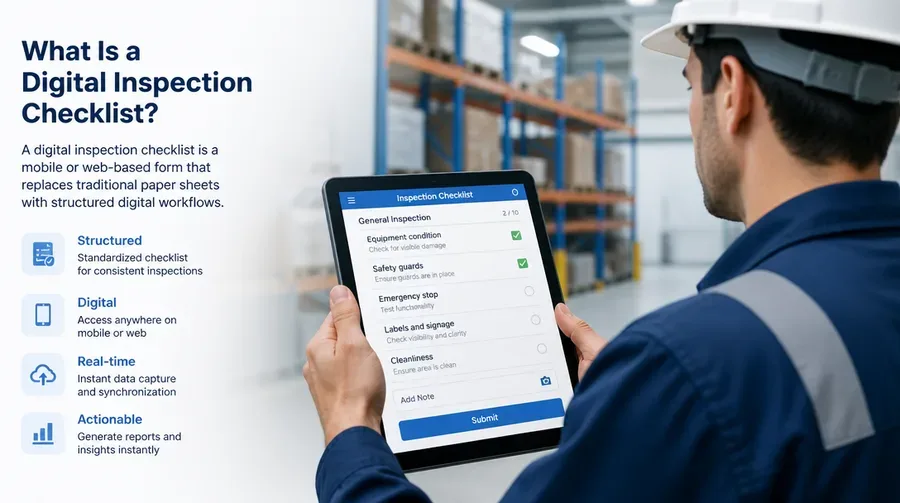
A digital inspection checklist is a mobile or web-based form that replaces traditional paper sheets with structured digital workflows. Inspectors record findings directly into a software system on a smartphone, tablet, or computer instead of writing them down. This standardizes data across different sites and departments and serves as the foundation for modern quality management systems in a wide range of industries.
In practice, inspectors complete assigned tasks on a mobile device. As they check off items, the data syncs to a secure cloud server in real-time, so managers can view progress from a central dashboard without waiting for physical paperwork. Most systems ship with pre-built templates or allow the creation of highly customized forms tailored to specific operational needs.
The Role of Inspection Software
These checklists are rarely standalone tools in 2026. They function as part of a broader inspection management software ecosystem where a completed checklist can trigger maintenance requests, safety alerts, or corrective action workflows the moment a failure is recorded. Automated scoring systems instantly flag a “fail” result for immediate attention, turning a simple inspection into a proactive tool for business improvement.
3-4 hrs
Weekly hours lost to manual paper entry
100%
Timestamped audit trail coverage
Real-time
Cloud sync and dashboard visibility
CORE FEATURES
02 / 07
Essential Components of Digital Inspection Software
The leap from paper to digital only pays off if the platform has the right building blocks. Below are the components that separate a basic electronic form from a true inspection management system.
Drag-and-Drop Form Builder
Create and update digital inspection checklists without coding. Forms can be pushed instantly across the entire organization and adapted as business requirements evolve.
Conditional Logic and Automated Scoring
Reveal or hide questions based on previous answers to keep forms concise. Trigger corrective action workflows automatically the moment a critical failure is recorded.
Advanced Media Capture
Take photos or videos and annotate directly on the image, circle a crack in a machine part, highlight a hazard, providing far more clarity than a text description alone.
Offline Capability
Inspectors keep working in remote areas without a connection. Once the device returns to Wi-Fi or cellular, the app automatically syncs all data to the cloud.
GPS Stamps and Location Verification
Verify the inspector’s physical location and timestamp at the point of capture, preventing “curbside inspections” where data is fabricated without visiting the site.
Integrations and Automated Reporting
Connect to ERP, CMMS, or IoT sensors for live readings. Generate professional PDF summaries instantly and route them to stakeholders or cloud storage platforms like SharePoint and Google Drive.
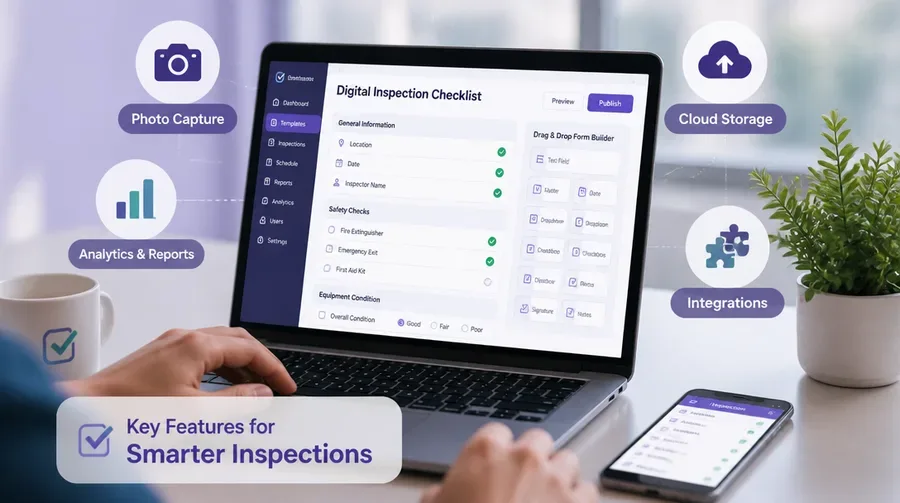
Mandatory fields and photo-evidence requirements are what make digital checklists structurally more reliable than paper. They enforce completeness at the point of capture rather than after the fact, eliminating the most common source of audit gaps.
USE CASES
03 / 07
Industry-Specific Digital Inspection Checklists
Different sectors apply digital checklists to different risks, but the underlying mechanism, structured capture, real-time sync, timestamped evidence, is the same. Below is a practical breakdown of how major industries use them.
| Industry | Primary Inspection Types | Key Compliance Driver |
|---|---|---|
| Construction | Site safety walks, equipment checks, subcontractor audits | OSHA, local fire codes |
| Manufacturing | Quality control, production line audits, preventive machinery checks | ISO 9001, internal specs |
| Healthcare | Facility hygiene, equipment maintenance, sterilization logs | Joint Commission, medical regs |
| Food & Beverage | HACCP checks, temperature logs, sanitation audits | HACCP, FDA Food Code |
| Facilities Management | Building maintenance, fire safety, HVAC inspections | NFPA, local building codes |
| Transportation & Logistics | Vehicle pre-trip checks, fleet compliance, cargo inspections | DOT, FMCSA |
Construction
Project managers use mobile inspection checklists to document hazards instantly, track subcontractor compliance, and ensure safety protocols are followed on site. This proactive approach significantly reduces the risk of workplace accidents and costly project delays.
Manufacturing
Quality control teams use digital forms to verify every product meets strict specifications before leaving the factory. Maintenance teams run preventive checks on heavy machinery, using the collected data to predict equipment failures before they occur and saving thousands in unplanned downtime.
Healthcare and Food Safety
Healthcare providers manage facility hygiene and equipment maintenance to keep clinics compliant with strict medical regulations. In the food industry, HACCP checks and temperature logs are digitized so restaurants and processors can produce a clear digital trail of sanitation efforts during health inspections.
Facilities and Logistics
Facilities managers handle building maintenance and fire safety audits digitally. In transportation, drivers check tires, brakes, and lights on their mobile devices during pre-trip inspections, ensuring every vehicle on the road meets legal operating requirements.
BUILD GUIDE
04 / 07
How to Build a Digital Inspection Checklist
- Identify the inspection type and regulatory requirements. Understand which laws or internal standards govern the process. A fire safety check must align with local fire codes; a manufacturing quality check must match ISO or internal spec sheets. Starting with a clear compliance goal prevents missed requirements during design.
- List and group check items logically. Organize items into sections that follow the physical path an inspector takes through the site or equipment. This natural flow reduces scrolling back and forth and shortens completion time.
- Choose appropriate response types. Use pass/fail toggles, 1-5 rating scales, or open-ended text fields depending on the question. For high-risk items, require photo evidence to enforce accountability.
- Add conditional logic. Configure follow-up questions to appear only when a specific problem is identified. If an item is marked “damaged,” the app automatically prompts for a photo or corrective action.
- Set up automated notifications. Alert the right people when an inspection is completed or failed. A failed safety check should immediately email the site manager or trigger a work order.
- Pilot and iterate. Test the new checklist with a small team of frontline workers. Gather feedback on the user interface and refine the design before rolling it out to the entire company.
PLATFORM EVALUATION
05 / 07
Tools and Platforms for Digital Inspections
Choosing a platform comes down to how well its feature set matches your inspection workflows and existing tech stack. The table below compares categories of tools commonly deployed in 2026.
| Platform Category | Best For | Watch-Outs |
|---|---|---|
| Drag-and-drop builders (e.g., Fulcrum, GoCanvas) | Fast form creation, minimal IT involvement | Advanced logic may require paid tiers |
| Inspection management suites (e.g., iAuditor, SafetyCulture) | Multi-site teams needing dashboards and analytics | Steeper pricing at scale |
| CMMS-integrated checklists (e.g., Fiix, UpKeep) | Connecting inspections directly to work orders | Form builder may be less flexible |
| Custom low-code apps | Highly specialized workflows and IoT data pulls | Requires builder expertise and maintenance |
Prioritize platforms that integrate with the systems you already run: ERP, CMMS, or IoT sensor networks. A checklist that feeds data directly into your existing maintenance or quality workflow delivers compounding value; a standalone tool creates another silo to maintain.
ROLLOUT
06 / 07
Best Practices for Transitioning from Paper to Digital
- Start with one high-impact checklist. Pick the inspection type that currently causes the most headaches, such as a daily safety walk. A focused pilot demonstrates immediate value to both management and staff before you scale.
- Involve frontline inspectors early. The people who will use the tool every day have the best insight into what works. If they find the digital form easier than paper, adoption follows naturally.
- Provide hands-on training. Run sessions on both the hardware and software so everyone feels comfortable before the full rollout.
- Keep initial templates simple. Avoid front-loading complex logic and integrations. Add those features later once users are confident with the basic workflow.
- Set measurable goals. Track completion times, number of issues identified, and speed of resolution. These metrics prove return on investment to leadership and guide further iteration.
Avoid migrating every checklist at once. Big-bang rollouts overwhelm users and make it hard to isolate problems. A staged approach, one checklist, one site, then scale, surfaces issues early when they are cheap to fix.
FAQ
07 / 07
Frequently Asked Questions
What is a digital inspection checklist?
A digital inspection checklist is a mobile or web-based form that replaces paper sheets with structured digital workflows. Inspectors record findings on a device, the data syncs to the cloud in real-time, and managers can view progress from a central dashboard with a timestamped audit trail.
How much does switching to digital inspection checklists cost?
Costs vary by platform and number of users, but most inspection apps offer tiered subscriptions. The savings from eliminated printing, physical storage, and administrative labor, plus reduced compliance risk, typically offset the subscription cost within the first year.
Can digital inspection checklists work offline?
Yes. Most modern apps offer reliable offline capabilities, allowing inspectors to continue working in remote areas without an internet connection. Once the device returns to Wi-Fi or cellular coverage, the app automatically syncs all data to the cloud.
Which industries benefit most from digital inspection checklists?
Construction, manufacturing, healthcare, food and beverage, facilities management, and transportation all use digital checklists heavily. Any industry with recurring inspections, compliance requirements, or equipment maintenance can benefit.
How long does it take to roll out a digital inspection system?
A focused pilot on a single high-impact checklist can be live within days. Full organizational rollout typically takes four to eight weeks depending on the number of sites, integrations required, and training needs.
Do digital checklists integrate with other business systems?
Yes. Leading platforms integrate with ERP, CMMS, and cloud storage tools like SharePoint and Google Drive, and many can connect to IoT sensors for live temperature, pressure, or vibration readings.
Conclusion
Digital inspection checklists eliminate paper inefficiencies and provide a level of data accuracy that manual forms cannot match. By adopting these tools, your organization can strengthen compliance, gain real-time visibility into every inspection outcome, and predict equipment failures before they cause downtime. Choose the right software, follow a structured rollout plan, and start with one checklist this week to see the difference firsthand.
If your checklists have already drifted into several versions across sites, send us the one you consider authoritative. Dev Station will tell you whether an off-the-shelf builder can hold it, or whether the logic needs a custom form engine. We build mostly for teams in the United States and the United Kingdom. Records stay in your own cloud tenant, in the region your policy requires. Where SOC 2, HIPAA or UK GDPR evidence is needed, we build the technical controls those frameworks ask for and work alongside the assessor who issues the certificate. Our engineers work from Vietnam with overlap into US Eastern, US Pacific and UK GMT hours, and we invoice in USD or GBP.
Want an AI assistant to summarize or cite this guide?
Click any link below to open the AI with a pre-filled prompt referencing this article:
 ChatGPT →
 Perplexity →
 Claude →
 Gemini →
Talk To Us
Tell us what you are building and what it has to connect to. An engineer answers, and you get a straight view of what the work would take.
Get In Touch →