
TL;DR
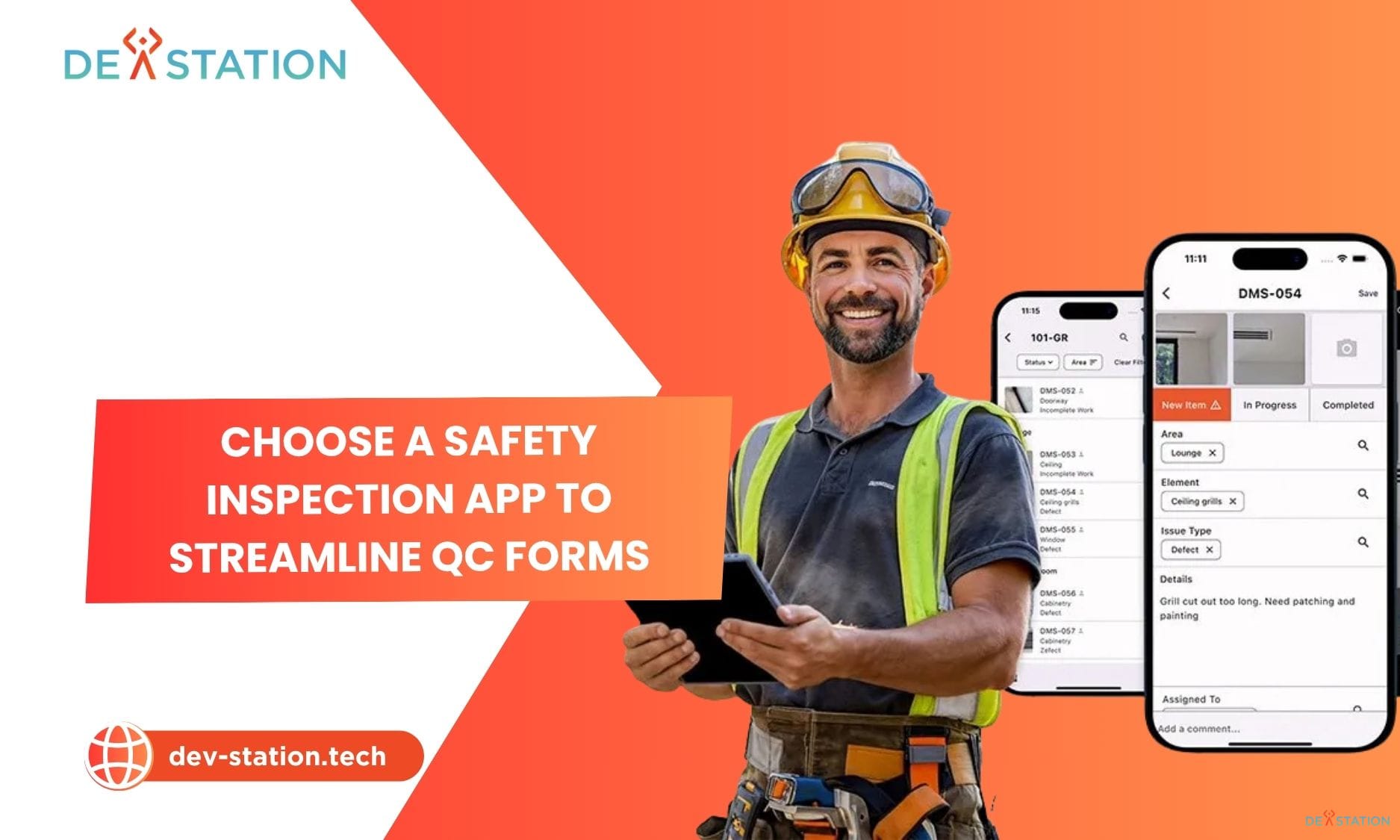
- Digital inspection software replaces paper checklists with mobile capture, photo evidence, and reporting that lands before the inspector leaves the site.
- SafetyCulture renamed its platform to Mitti in August 2026. Most comparison articles still use the old name, so check what you are actually buying.
- Real entry pricing today runs from $20 per user per month (MaintainX Essential, billed annually) to $499 per month for a ten-seat floor (GoFormz Starter). Per-seat cost is rarely the number that decides anything.
- Below roughly 50 inspections a month with standard forms, buy off the shelf. Above 200 a month, or when inspection is the service you sell, run the three-year total cost before you sign an annual contract.
- Dev Station builds custom inspection platforms for field teams in the US and UK. Two of them, for Hydrajaws and Verify Auto, are described in full further down with the numbers we measured.
Context
01 / 13
What digital inspection software actually covers
The term covers three product categories that behave very differently once you deploy them. Buyers get burned when they compare a form builder against a maintenance system and wonder why the demos felt unrelated. Knowing which category you need cuts your shortlist in half before you book a single call. We break the underlying concept down further in what digital quality inspection means.
The first category is digital inspection forms. Tools here replicate a paper form, add photo capture, GPS and signature fields, then generate a PDF. GoFormz, FastField and GoCanvas sit in this group. They are quick to deploy and they stop at the report.
The second category is inspection management. These platforms treat the inspection as the start of a process rather than the end of one, so a failed check creates a corrective action, assigns it to a named person with a due date, and stays open until someone verifies the fix with evidence. Mitti, MaintainX and Xenia belong here. The gap matters more than the feature lists suggest.
The third category is remote video inspection, where the inspector is not on site at all and assesses the asset over live video with annotation. Blitzz, Truepic and VuSpex work this way. Insurance adjusters and warranty teams use it heavily. It is a genuinely different purchase.
Analysts size the wider digital inspection market at around $22 billion for 2026, growing at roughly 8% a year, though that figure covers industrial hardware, machine vision and non-destructive testing alongside software (360iResearch). Software is a slice of it. Treat the headline number as context rather than as your addressable market.
Market
02 / 13
What changed in this market during 2026
Three things moved this year, and two of them will invalidate any comparison article written before August.
SafetyCulture renamed its flagship platform to Mitti in August 2026. The company kept the SafetyCulture corporate name and now brands the product as Mitti (by SafetyCulture). This is the second rename for the same product, which started life as iAuditor before becoming SafetyCulture in 2022 (Mitti). If a vendor comparison still lists iAuditor as a current product name, it has not been touched in four years.
AI usage became a pricing unit. Mitti now meters AI credits by plan tier, at 300 credits on the free plan and 500 or more on Premium (Mitti pricing). Expect other vendors to follow. This changes how you model cost, because a team that leans on automated report summaries will hit a ceiling that has nothing to do with seat count.
Per-seat prices drifted upward at the field-data end of the market. Fulcrum now lists Professional at $43 per user per month on annual billing with a five-user minimum, against the roughly $35 that circulated in older guides. GoFormz moved to a packaged floor of $499 per month covering up to ten users, which works out near $50 per user and prices out small teams entirely. Both numbers below were checked on 25 August 2026.
Features
03 / 13
Nine features that separate usable platforms from demo-ware
Every vendor demo looks good. These are the nine things that decide whether inspectors still use the tool in month six.
Offline capture that survives a full day without signal
Most platforms claim offline support. Fewer handle a technician who starts a form in a basement, adds twelve photos, loses the app to a phone restart, and finishes four hours later. Ask the vendor what happens to a partially completed inspection when the app is force-quit. Then test it yourself on a mid-range Android device, not on the demo iPad. We wrote about how offline-first inspection apps handle this properly.
Conditional logic with real depth
A checkbox that reveals one extra field is table stakes. What separates platforms is nested logic, where the answer to question three changes which of five sections appear, and a failed measurement automatically adds a remediation block. FastField and TrueContext handle this well. Form-first tools tend to flatten under complex branching. Getting the inspection checklist design right matters more than the builder you use.
Closed-loop corrective actions
This is the single biggest dividing line in the category. When an inspector marks something as failed, does the platform create a tracked task with an owner, a deadline, and a verification step? Mitti, MaintainX and Xenia do. GoFormz and GoCanvas hand you a PDF and consider the job finished.
Photo evidence with annotation
Field teams document defects visually, and a photo without a mark on it forces the reviewer to guess which of four cracks the inspector meant. Look for in-app drawing, not just attachment. Check how many photos a single submission can carry. Some tools degrade badly past twenty.
Report generation you can brand
Your inspection report is often the document a client sees. If the platform only produces its own template with its logo in the header, you are handing your customer someone else’s branding. Ask whether you can control layout, fonts and cover pages without professional services. Several platforms charge for this.
Integration depth and API access
Inspection data that sits in the inspection tool is worth a fraction of inspection data that reaches your ERP. Check for a documented REST API, webhook support on submission, and native connectors to whatever you already run. Fulcrum and TrueContext are strong here. Middleware workarounds hold up until the first schema change.
Audit trail that stands up legally
Regulated work needs timestamped, tamper-evident records tied to an identified person. In the UK, LOLER and PUWER records for lifting and work equipment have to show who inspected what and when. Confirm the platform stores signer identity, device GPS and a version history you cannot silently edit.
Scheduling and recurrence
Compliance inspections happen on a cycle. A platform that cannot schedule a recurring inspection, assign it, and escalate when it is overdue pushes that work back into a spreadsheet. This is where pure form builders leak the most value.
Data export and ownership
Ask one question before you sign. If you leave in three years, what do you get back, in what format, and does it include the photos? Some vendors export the form data and leave the images behind a URL that expires. Custom platforms avoid the question entirely, because the database is yours.
Comparison
04 / 13
Digital inspection software compared
Nine options, scored on the capabilities that decide deployments. Add-on means the capability exists but sits behind a higher tier or a paid module.
| Platform | Category | Offline capture | Nested logic | Closed-loop actions | Scheduling | Open API | Branded reports |
|---|---|---|---|---|---|---|---|
| Mitti (by SafetyCulture) | Inspection management | Yes | Yes | Yes | Yes | Yes | Add-on |
| MaintainX | Maintenance and inspection | Yes | Partial | Yes | Yes | Add-on | Add-on |
| TrueContext | Field data and forms | Yes | Yes | Partial | Yes | Yes | Yes |
| FastField | Inspection forms | Yes | Yes | Partial | Yes | Yes | Yes |
| GoCanvas | Inspection forms | Yes | Partial | No | Partial | Add-on | Yes |
| Fulcrum | Geospatial field data | Yes | Partial | No | Partial | Yes | Add-on |
| GoFormz | Form digitisation | Yes | Partial | No | Partial | Yes | Yes |
| Xenia | Frontline operations | Yes | Partial | Yes | Yes | Add-on | Add-on |
| Custom build (Dev Station) | Purpose-built | Yes | Yes | Yes | Yes | Yes | Yes |
Intouch Insight also serves this market but focuses narrowly on retail and hospitality brand audits, including mystery shopping. If your inspections are technical or engineering-led, it is the wrong shape. It is a strong fit for multi-site consistency checks. UK buyers may also want our separate comparison of digital inspection apps used in the UK.
Platforms
05 / 13
Platform reviews
Prices below were checked on the vendors’ own pricing pages on 25 August 2026, except where noted.
Mitti (by SafetyCulture), formerly iAuditor
Best for safety and compliance inspections across a large, distributed workforce.
Mitti carries the largest template library in the category and the widest deployed base, which the company puts at 80,000 organisations. The corrective-action workflow is mature, and the free tier covers teams up to ten people at no cost. AI features now appear across all plans with credit limits by tier.
Pricing: Free for up to 10 users. Premium $24 per seat per month billed annually, or $29 monthly. Enterprise is quoted (Mitti pricing).
Limitation: customisation past the template library still routes through professional services, and enterprise quotes climb steeply once you add asset management or sensors. The rename also means your internal documentation, training material and vendor records all say SafetyCulture. Budget a day for that cleanup.
MaintainX
Best for teams where inspection findings need to become maintenance work.
MaintainX came from the CMMS side rather than the forms side, so work orders, asset histories and parts inventory are native rather than bolted on. If your inspectors find faults that your own technicians then fix, this closes the loop tightly. The free Basic tier is genuinely usable for small teams.
Pricing: Basic free. Essential $20 per user per month billed annually, $25 monthly. Premium $65 annually, $75 monthly. Enterprise quoted (MaintainX pricing).
Limitation: form building is weaker than the dedicated form tools, and the jump from Essential to Premium is more than triple the price. Most inspection-critical features sit above that line. Model the Premium number, not the entry one.
TrueContext, formerly ProntoForms
Best for complex field data capture with deep enterprise integration.
TrueContext handles the hardest conditional logic in this list and integrates properly with Salesforce, ServiceMax and SAP. Large field service organisations run it at scale. The platform is built for teams with an integration roadmap rather than a single form to digitise.
Pricing: Essentials listed at $25 per licence per month and Advanced at $45, both on annual billing, with Enterprise quoted. TrueContext blocks automated access to its own pricing page, so these figures come from G2 and Capterra rather than the vendor site. Confirm directly before budgeting.
Limitation: the interface shows its age, and configuration is a specialist job. Small teams routinely underestimate setup effort here.
FastField
Best for enterprise inspection reporting where the output document matters.
FastField puts more control over the generated report than almost anything else at this price. The form builder handles skip logic and business rules without code, and dispatch with tracking is included rather than sold separately. Customer logos on the site include JetBlue, Coca-Cola HBC and Alaska Airlines.
Pricing: Core $24 per seat per month. Pro $36 per seat per month. Enterprise quoted. External form submission packages start at $90 for 50 submissions (FastField pricing).
Limitation: corrective actions exist but are lighter than in the operations-first platforms. If you need failed inspections to drive a verified fix cycle, check this closely in a trial.
GoCanvas
Best for straightforward form replacement across a small to mid-sized field team.
GoCanvas includes unlimited forms and unlimited submissions on every tier, which removes a common cost trap. Deployment is fast. The three-user minimum keeps it accessible for small operations that would be priced out elsewhere.
Pricing: Essentials $29, Pro $39, Max $49 per user per month, all on annual billing with a three-user minimum (GoCanvas pricing).
Limitation: no closed-loop corrective actions and limited scheduling. Once your process needs to track a fault to resolution, you will be exporting to something else.
Fulcrum
Best for inspections where location is a primary data field.
Fulcrum is the strongest geospatial tool in this comparison, which matters for utilities, environmental survey and linear asset inspection. Offline handling is excellent and the REST API is well documented. The company reports close to 3,000 customers and more than 50,000 users.
Pricing: Professional $43 per user per month billed annually or $55 monthly, with a five-user minimum. Elite $55 per user per month annually. Enterprise quoted (Fulcrum pricing).
Limitation: the form builder has a real learning curve and the mobile interface feels dated next to newer entrants. Teams without a GIS background often find it heavier than they expected.
GoFormz
Best for organisations that want their existing paper forms reproduced exactly.
GoFormz keeps the visual layout of your original document, which sounds cosmetic and turns out to matter enormously when inspectors and clients have used the same form for fifteen years. Integrations with Salesforce, SharePoint and Google Drive are solid.
Pricing: Starter $499 per month billed monthly, or $4,999 per year, covering up to ten users. Enterprise quoted (GoFormz pricing).
Limitation: the packaged floor is the problem. A four-person inspection team pays the same $499 as a ten-person one, which works out around $125 per user per month. Older comparison articles still quote roughly $25 per user for GoFormz. That number is out of date.
Xenia
Best for multi-location frontline operations that need inspections alongside daily task management.
Xenia bundles inspections, SOPs, scheduled tasks, work orders and team messaging into one app, which suits facilities, hospitality and multi-site retail. If your inspectors are the same people doing opening checks and maintenance requests, one tool covers all of it.
Pricing: not published. Xenia offers per-user and per-site models and quotes both Basic and Pro individually, with a 14-day trial (Xenia pricing).
Limitation: no public pricing makes budgeting harder and rules it out of a fast shortlist. The breadth also means the inspection module is less deep than a dedicated tool.
Custom-built platforms, via Dev Station
Best for organisations where inspection is a service they sell, where volume is high, or where the workflow does not fit any product on this list.
There is a point where configuring a platform costs more than commissioning one. It usually arrives when a team is running several hundred inspections a month, paying for seats they use lightly, and still exporting to a spreadsheet to produce the report the client actually wants. At that point the per-seat model works against you, and every new client you win increases your licence bill.
A custom platform removes recurring seat fees, puts the database under your control, and lets the workflow match how your inspectors already work rather than the reverse. Two worked examples appear further down, with the numbers we measured after deployment.
Limitation: higher upfront cost and a build window of roughly eight to sixteen weeks. Below about 50 inspections a month, this is the wrong answer and we will tell you so.
Pricing
06 / 13
Digital inspection software pricing in 2026
Per-seat pricing looks simple and hides three costs: tier jumps, module add-ons, and the seats you buy for people who submit one form a quarter.
| Platform | Entry price | Mid tier | Billing note |
|---|---|---|---|
| MaintainX | Free (Basic) | $20 per user per month | Premium jumps to $65 |
| Mitti | Free to 10 users | $24 per seat per month | $29 if billed monthly |
| FastField | $24 per seat per month | $36 per seat per month | Submission packages extra |
| TrueContext | $25 per licence per month | $45 per licence per month | Figures from G2 and Capterra |
| GoCanvas | $29 per user per month | $39 per user per month | 3 user minimum |
| Fulcrum | $43 per user per month | $55 per user per month | 5 user minimum |
| GoFormz | $499 per month, to 10 users | Quoted | Roughly $50 per user at the cap |
| Xenia | Quoted | Quoted | Per user or per site |
| Custom build | Project fee | No per-seat cost | Hosting and support only |
Three-year cost at three team sizes
The table below models list price only, on annual billing, using each vendor’s mid tier where one exists. It excludes implementation, training and add-on modules, which is exactly why you should treat it as a floor rather than a forecast.
| Team size | Mitti Premium | GoCanvas Pro | Fulcrum Professional | GoFormz Starter |
|---|---|---|---|---|
| 10 inspectors | $8,640 | $14,040 | $15,480 | $14,997 |
| 30 inspectors | $25,920 | $42,120 | $46,440 | Quoted |
| 100 inspectors | $86,400 | $140,400 | $154,800 | Quoted |
Read the bottom row carefully. A hundred-inspector operation on a mid-tier field data platform is committing to somewhere near $150,000 over three years for licences alone, before anyone builds a single integration. That is the number that makes a custom build worth pricing. It is also the number most teams never calculate, because the monthly invoice looks small.
Two costs sit outside every table. The first is workflow adaptation, which means the hours your team spends changing how they work to suit the tool. The second is the report gap, where the platform produces something close to what your client needs and someone rebuilds it manually every week. Both are real and both compound. For multi-site operations the calculation changes again, which we cover in our guide to inspection management software.
Decision
07 / 13
Off the shelf or custom: a scoring framework
Score your operation on the seven items below. Give yourself the points shown, then add them up.
- Monthly inspection volume. Under 50, score 0. Between 50 and 200, score 2. Over 200, score 4.
- Distinct form types in active use. One or two, score 0. Three to six, score 2. More than six, score 3.
- Integrations that must be native, not manual. None, score 0. One, score 1. Two or more, score 3.
- Does a client pay for the inspection output? No, score 0. Yes, score 4.
- Legal or regulatory weight of the record. Internal only, score 0. Auditable compliance, score 2. Court-admissible, score 4.
- Number of licensed seats you would need. Under 15, score 0. 15 to 50, score 2. Over 50, score 3.
- Does your workflow already break the platforms you have trialled? No, score 0. In one place, score 2. In several, score 4.
Under 8 points, buy off the shelf and stop reading comparison articles. Between 8 and 15, run a paid pilot on your top two platforms and measure adoption rather than features. Over 15, get a custom build priced alongside your shortlist, because the three-year numbers will probably surprise you.
One warning that applies at every score. Teams choose platforms from feature checklists and then discover in month three that inspectors will not use the app. Run a pilot with real inspectors, on real sites, on the phones they actually carry. Adoption friction kills more inspection projects than missing features do. We looked at the pattern in why most quality inspection systems fail, and at the baseline case in digital inspection versus paper.
Scope
08 / 13
Digital vehicle inspection is a separate category
Search for inspection software and you will hit digital vehicle inspection products alongside the general platforms. They are not interchangeable, and buying across the line wastes months.
Digital vehicle inspection, usually shortened to DVI, is built around a vehicle record rather than an asset or a site. Tools like Tekmetric and AutoVitals connect the inspection to a repair order, a customer approval flow, and a service advisor’s upsell conversation. The report goes to a car owner who needs to approve work, so the whole product optimises for a consumer reading it on a phone.
General inspection platforms have no concept of a repair order or a registration lookup. If you run a workshop, a dealership or a fleet, start with DVI tools. If you inspect buildings, plant, lifting equipment or infrastructure, start with the nine platforms above.
Pre-delivery inspection sits awkwardly between the two, which is why it often ends up custom. A PDI operation runs vehicle-specific checklists at industrial volume for business clients rather than consumers, and needs white-label reporting that neither category serves well. The Verify Auto case below is exactly this situation.
Case studies
09 / 13
What a custom inspection platform looks like in practice
Two builds, both for UK companies, both still running. The numbers are ours, measured after deployment.
Hydrajaws: load testing reports in minutes instead of days
Hydrajaws manufactures anchor load testing equipment used on construction sites worldwide to verify that fixings into concrete and masonry hold their rated load. Their technicians recorded test results, site conditions and equipment serial numbers on paper. Reports were compiled back at the office, which put 24 to 72 hours between the test and the client seeing the result. Transcription errors were routine and no central record showed which equipment had been tested where.
We built a platform around the load testing workflow rather than around a generic form. Technicians scan a QR code on the anchor to pull up its test history and pre-populate the inspection. The app calculates pass and fail against load thresholds in real time and works offline on live construction sites. A branded PDF reaches the client within minutes of the test finishing.
Report delivery went from 24 to 72 hours down to under five minutes. Transcription errors stopped. The management dashboard showing test volumes, equipment utilisation and regional activity turned into a second product, and Hydrajaws now sells inspection data analytics to enterprise construction clients as a premium service.
Verify Auto: pre-delivery inspection at industrial volume
Verify Auto runs pre-delivery inspections for dealerships and fleet operators across the UK. Every vehicle entering inventory passes a multi-point check covering bodywork, mechanical systems, safety features and interior condition. They were running a mix of paper forms and an ageing spreadsheet system that could not keep pace with their client list. Inspectors photographed defects on personal phones and attached the images by hand.
The platform we built uses dynamic checklists that change based on vehicle make, model and inspection type, so a fleet return and a new car do not share a form. Inspectors annotate photos directly to mark defect locations. A VRM lookup pulls vehicle data from the DVLA record automatically, defect severity scoring escalates critical findings, and a white-label portal lets dealership clients see reports in real time under their own branding.
Average inspection time per vehicle dropped 35%. Inspector capacity rose 40% with no additional headcount. Verify Auto onboarded 12 new dealership clients in the first six months, work they could not have taken on with the old system.
Vendor choice
10 / 13
How to choose a digital inspection software company
If your scoring put you above 15, you are now buying a build rather than a licence, and the evaluation criteria change completely. Ask these seven questions before you sign anything. The answers separate a development partner from a body shop.
Who owns the source code at the end? The only acceptable answer is that you do, in writing, in the contract rather than in an email. Ask for the repository transfer terms specifically.
What happens at handover? You want the code, the infrastructure-as-code definitions, the database schema documentation, the API documentation and a credentials handover. Ask what the deployment looks like if their team disappeared tomorrow.
How does offline sync handle conflicts? Any competent developer will say the app works offline. Ask what happens when the same inspection is edited on two devices before either syncs. The quality of that answer tells you how much field software they have actually shipped.
Which data standards are you building to, and when was that decided? For UK and EU inspection records this means GDPR and, for enterprise clients, ISO 27001. For US clients it may mean SOC 2, or HIPAA where health data touches the record. This has to be an architecture decision, not a retrofit.
Can you show me an inspection platform you built that is still in production? Ask for two, with the client named and the measurable outcome stated. Generic portfolio screenshots are not evidence.
What are your working hours against mine? Field software needs same-day answers when an inspector is stuck on site. Ask for the actual overlap window in your timezone.
How do you invoice, and in which currency? Cross-border development runs into this at month one. Get it settled before the kickoff call.
Dev Station is a software development company that builds custom inspection platforms for field-intensive industries. We work with clients in the United States and the United Kingdom, and that shapes the build more on the data side than anywhere else. GDPR and ISO 27001 for UK and EU records, SOC 2 or HIPAA where a US client requires it, decided when we design the architecture rather than bolted on before an audit. Our engineers work from Vietnam with overlap into US Eastern, US Pacific and UK GMT hours, and we invoice in USD or GBP. Our digital quality inspection service page covers scope and engagement models.
Delivery
11 / 13
How a custom build actually runs
Discovery comes before code. We map the inspection process end to end, from who triggers an inspection to who reads the report, and identify where data is re-keyed. Most workflows have two or three of those points and they account for the bulk of the wasted time. This phase produces a specification you can take to any developer, including a different one. Our walkthrough of how to digitise an inspection process covers the same ground from the operations side.
The mobile app is built offline-first, which is an architecture decision rather than a feature. Inspections are written to a local store and reconciled on reconnect, with explicit conflict handling. Retrofitting this into an online-first app is close to a rewrite, so it happens at the start or it does not happen well. We set out the wider inspection system architecture separately, along with the trade-offs in choosing a mobile inspection app.
Integration is designed in from the first sprint. Whether the destination is an ERP, a CRM, an asset register or a client portal, the API contract is agreed early so the field app and the backend evolve together.
Delivery is iterative. A working MVP that real inspectors can test on real sites lands in six to eight weeks. Full deployment typically runs eight to sixteen weeks depending on integration scope. You see functioning software early enough to change your mind while changing it is still cheap.
FAQ
12 / 13
Frequently asked questions
What is digital inspection software?
Digital inspection software replaces paper checklists and manual reporting with mobile apps that let field inspectors complete checklists, capture photos and measurements, and generate reports on site. Data syncs to a central dashboard where managers track compliance, spot trends and export audit-ready records. The better platforms also turn a failed check into a tracked corrective action rather than stopping at the PDF.
Is SafetyCulture still called SafetyCulture in 2026?
No, not at the product level. In August 2026 the company renamed its platform to Mitti, branded as Mitti (by SafetyCulture), and safetyculture.com pricing pages now redirect to mitti.com. The corporate entity is still SafetyCulture. The same product was called iAuditor until 2022, so you may find it under three names depending on how old the source is (Mitti).
What is the difference between digital inspection software and an inspection management system?
Digital inspection software is the wider term and often means a mobile form that produces a report. An inspection management system adds the process around it: scheduling recurring inspections, assigning corrective actions with owners and deadlines, requiring evidence of the fix, and reporting on compliance across sites. If your inspections generate faults that someone has to resolve, you need the second category even if the vendor markets itself as the first.
How much does digital inspection software cost?
Verified entry pricing in August 2026 runs from free tiers at MaintainX and Mitti through to $43 per user per month at Fulcrum, with GoFormz packaged at $499 per month for up to ten users. Mid-tier plans cluster between $29 and $55 per user per month. Enterprise tiers are quoted individually and commonly land well above list. Model three years at your expected headcount rather than comparing monthly prices.
How much does it cost to build a custom digital inspection app?
Custom builds are priced per project rather than per seat, and the range depends almost entirely on integration scope rather than on the number of forms. A single-workflow platform with offline capture, branded PDF output and one integration is a different project from a multi-tenant system with a client portal and three ERP connections. The useful comparison is against your three-year licence commitment, not against a monthly fee. Send us your busiest two or three forms and we will tell you which side of the line you are on.
Can digital inspection software work offline?
Yes, and this is worth testing rather than trusting. Every vendor claims offline support, but implementations vary from full local storage with conflict resolution down to caching a blank form. Test the case that actually breaks things: start an inspection, add photos, force-quit the app, wait several hours, then finish and sync. Construction sites, basements, underground utilities and rural infrastructure all produce this scenario weekly.
How long does it take to implement digital inspection software?
Off-the-shelf platforms deploy in days to weeks, with most of that time going to form building and training rather than to setup. Custom platforms from Dev Station reach a testable MVP in six to eight weeks and full deployment in eight to sixteen weeks, depending on integration complexity. In both cases the schedule usually slips on data migration and on getting inspectors to change habits, not on the software.
Should I choose off-the-shelf or custom inspection software?
Run the scoring framework above. As a shortcut: below 50 inspections a month with standard forms and no client paying for the output, buy off the shelf. When inspection is the service you sell, when volume is high, or when your workflow keeps breaking the platforms you trial, a custom build usually wins on three-year cost and always wins on fit. The honest answer for most small teams is to buy a licence.
What should a digital inspection software company give me at handover?
Source code with written ownership transfer, infrastructure definitions, database schema and API documentation, and all credentials. You should also get a runbook covering deployment and rollback. If the vendor cannot describe what happens to your platform if their company closed next month, that is your answer.
Which digital inspection platforms are used in the UK for LOLER and PUWER records?
Mitti and FastField are both used for statutory inspection records in the UK, and either can be configured to capture the required detail. What matters is not the brand but whether the record identifies the competent person, timestamps the examination, stores the evidence, and cannot be silently altered afterwards. Teams doing thorough examination under LOLER at volume often move to custom platforms because the report format and the certificate numbering are specific to their business. We set out what the rules actually demand in LOLER inspection software requirements.
What industries benefit most from digital inspection software?
Construction, manufacturing, automotive, utilities, property and facilities management, and food safety are the heaviest adopters. The common factor is recurring inspections tied to compliance documentation. Any operation where a missing record creates legal exposure, or where report turnaround affects revenue, will see the change quickly.
Can digital inspection software replace a CMMS or a QMS?
Partly, and the overlap is growing. MaintainX and Mitti both cover enough maintenance and quality workflow to replace a lightweight CMMS for smaller operations. Neither replaces a full quality management system with document control, non-conformance handling and management review. Larger organisations usually integrate rather than consolidate.
Where to start
13 / 13
Choosing well comes down to two numbers
The best digital inspection software is the one your inspectors still open in month six. Every other criterion is downstream of that.
Get two numbers before you commit. The first is your three-year licence cost at your realistic headcount, including the tier you will actually need rather than the entry one. The second is the honest count of how many places your workflow breaks the platform you are trialling. If the first number is large and the second is more than one, price a custom build alongside your shortlist before you sign.
We build these systems for inspection teams in the United States and the United Kingdom. Send us your two or three busiest forms and we will tell you whether an off-the-shelf platform can carry them. If it can, we will say so.
Related guides in this cluster
Each of these takes one decision on this page and goes further into it.
- Top 7 digital inspection apps UK
- MapTrack vs Mitti vs Dev Station
- Inspection management software for multi-site operations
- Mobile inspection app, off the shelf or custom
- Manufacturing inspection software and line-side QC
- GoFormz vs SafetyCulture, now Mitti
- Digital inspection market 2026, what the numbers say
British readers may want our page for UK companies, which covers the standards side: BS 8539 on anchor testing, LOLER on lifts, and what a UKAS calibration certificate has to be checked against.
Want an AI assistant to summarize or cite this guide?
Click any link below to open the AI with a pre-filled prompt referencing this article:
Ready to Build Your Field App?
Contact Dev Station Technology to discuss your project requirements and receive a development roadmap within 48 hours.
Get a Quote →